Appendix E — Index
What you will learn
- Choose among five ways into the book: by task, by command, by code, by word or file name, and by chapter.
- Know what the index covers (1424 pages, 115 output files) and what it does not.
- Check any number of this appendix against its source.
Prerequisites: none.
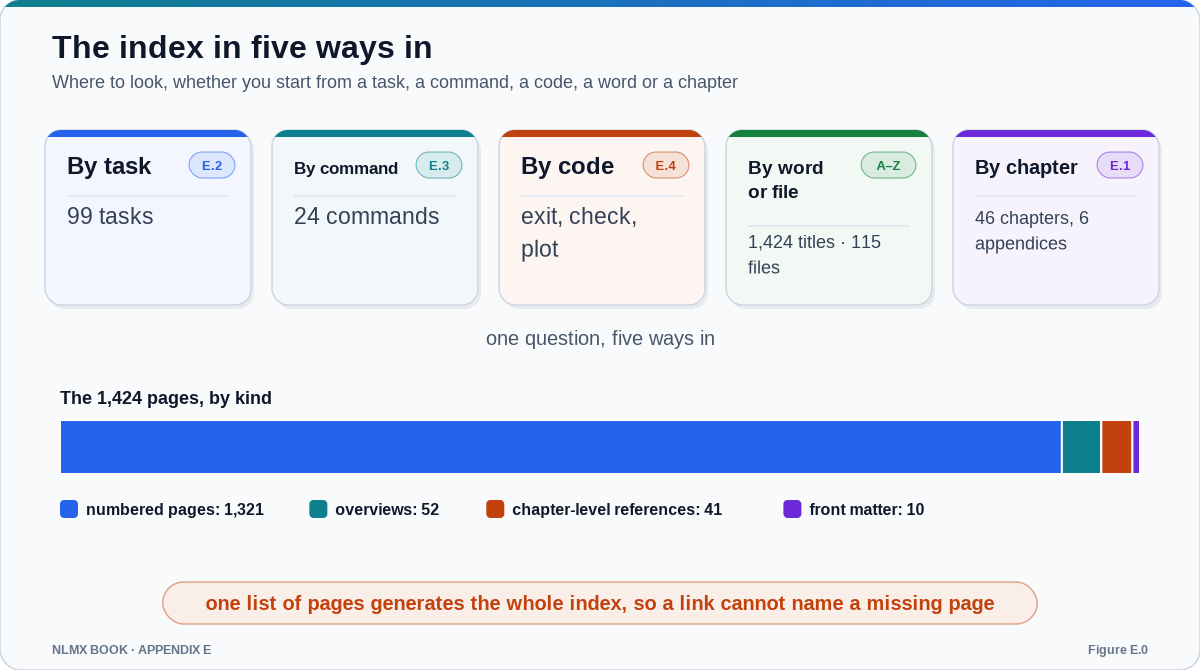
The book has 1424 pages: a front matter of 10 pages, 46 chapters (counting 13A, 23A and 36A) and 6 appendices. Every page is reachable from the table of contents, but a reader who arrives with a question needs a way in that starts from the question. This appendix is that way in. It is generated from the book's own list of pages and from the Chapter 38 text, so it cannot name a page that does not exist.
| Page | What it answers | Entries |
|---|---|---|
| E.1 How the index is built: names, kinds and sort order | How are page names built, what kinds of page are there, in what order is the A–Z sorted, and how do I look something up? | 53 rows |
| E.2 Index by task: where to look when you want to do something | I want to do something. Which page should I open? | 99 tasks |
| E.3 The command matrix: command, chapter, reference, settings and outputs | I know the command. Where are its concepts, its manual page, its settings and its outputs? | 24 commands |
| E.4 Identifiers: exit codes, check IDs, plot codes and file extensions | I have an identifier (an exit code, a check ID such as REC05, a plot code, a file extension). What does it mean and where is it explained? | 12 exit codes, 99 + 81 checks, 24 plots, 10 tables, 16 extensions |
| The complete A–Z reference | I know a word from a title, or the name of an output file. | 1424 pages and 115 file names |
Five ways in
- You know the task. Open E.2. The tasks follow the order of an analysis, from the first look at the data to the final report.
- You know the command. Open E.3. One row per command gives the chapter that explains the concepts, the chapter that runs it, the manual page, the settings file and the page that describes its outputs.
- You have a code. An exit code, a check such as
REC05orCOD08, a plot such asP13: open E.4. The same prefix can mean different things in the two quality-control commands, and the page says how to tell them apart. - You have a word or a file name. Use the A–Z reference. It lists every page title once, and every output file the output chapter names.
- You want the whole map. The table of E.1 lists each chapter, its overview and its own complete reference page.
What the index does not do
- It is an index of pages, not of every term in them. A word that appears inside a page, but not in its title, is not here. The glossary (Appendix B) covers terms, and the chapter-level indexes (the right-hand column of the table in E.1) cover the options and settings of one command.
- It does not say what a command does with an input. It sends you to the page that does.
- Titles are as the pages state them. If a page is renamed, the index must be regenerated; it is built from the list of pages, not typed by hand.
Which numbers on this page can be checked
| Number | Where it comes from | How to check |
|---|---|---|
| 1424 pages | the book's list of pages, plus the six pages of this appendix | count the lines of the A–Z reference (one per page) |
| 115 output file names | every file name in a code span in Chapter 38's command pages (38.1 to 38.24) | the second section of the A–Z reference |
| 24 commands | the 24 command pages of Chapter 36 (pages 36.5 to 36.28) | E.3 |
| 99 and 81 checks | the family pages of Chapters 11 and 12 | the sums in E.4 |
Review checklist
- Do you know which of the five ways in suits your question?
- Do you know that the index is generated from the list of pages, and not typed by hand?
- Can you check one number of this page against its source?
Navigation
See the first page and the complete index reference.