D.14 The documentation checklist: what must change with the code
What you will learn
- List the places where documentation must change when the program changes, and which of them a test protects.
- Distinguish documentation that is generated, tested and reviewed, and apply the right discipline to each.
- Use a "grep before you finish" habit that finds the stale sentence.
Page D.9 gave the three grades of keeping in step. This page is the working checklist a developer runs at the end of a change.
The checklist
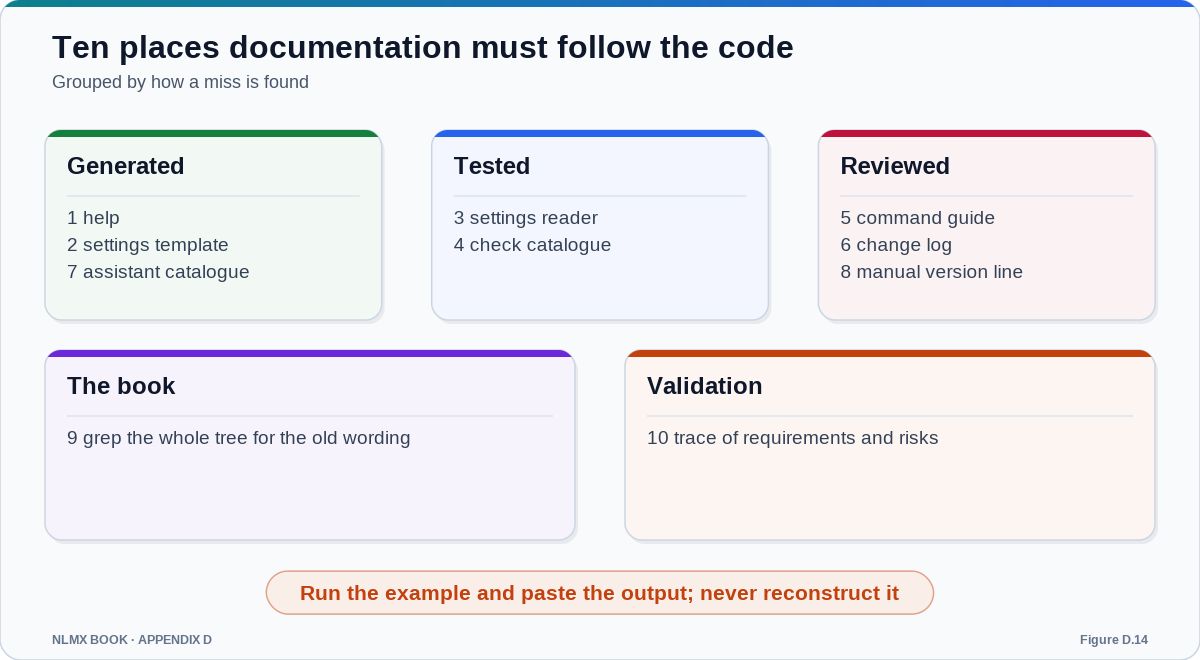
| # | Place | Grade | What to do |
|---|---|---|---|
| 1 | Command-line help | generated | nothing by hand if the option is declared properly; read the help text once, as a user |
| 2 | Settings template | generated | regenerate and read it; the new key appears with its comment |
| 3 | Settings reader | tested | the template-is-valid-settings test (page D.11) passes |
| 4 | Check catalogue (if checks changed) | tested | every check ID is mentioned in the data-checks reference; a unit test fails if one is missing |
| 5 | The command's reference page in the project's documentation | reviewed | the option, its default, its limits and one example |
| 6 | The change log | reviewed | an entry in the house form (page D.13) |
| 7 | The assistant's catalogue and manual | generated and reviewed | the catalogue is built from the command-line definitions; read the headings table and the lists of commands that need their own template (page D.9) |
| 8 | The manual's version line | reviewed | the manual says which release it describes |
| 9 | This book | reviewed | pages that quote the behaviour; see the grep below |
| 10 | The validation package | reviewed | if a requirement or a risk is touched, the trace is updated (page D.10: the package is not the test suite) |
The grades matter because they say how a miss is found: a generated item cannot be forgotten (it is derived), a tested item is forgotten at the cost of a red test, and a reviewed item is forgotten silently. Spend the care on the reviewed rows.
The grep habit
Before finishing, search the whole documentation tree for the words a user would have used for what you changed: the option name, the old default, the old file name, the old message. A change that renames an output file but leaves its old name in six pages produces six wrong examples. The habit takes a minute.
| You changed | Search for |
|---|---|
| a default | the old value, with the option name |
| a file name | the old name, in code blocks and tables |
| an exit code | the old number, in the code table and in the failure examples |
| a message | a distinctive phrase of the old text |
| a command's behaviour | its name in the assistant's documentation as well |
Examples are the most perishable text
A worked example in documentation quotes output. When output changes, the quotation is wrong even though the prose around it is right. Three practices keep examples honest.
- Run the example, paste the output, never reconstruct it by hand.
- Say what the example is (a stored run, or an illustration): a number that cannot be traced to a run must be marked as illustrative.
- Prefer one example that is tested over three that are not. Where an example can be an end-to-end test, make it one, and the documentation quotes the test's fixture.
Documentation that says what is not done
The most valuable sentences in the book are of the form "this case does not show…". The same discipline applies to the project's own documentation: a limitation that is true today and silently untrue after the change is as harmful as a wrong number. When a change lifts a limitation, find the sentence that states it and update it.
Review checklist
- Did you read the generated help and the generated template as a user?
- Is there a change-log entry, and does the manual's version line agree with it?
- Did you search the whole documentation tree for the old wording?
- Were any pasted outputs produced by an actual run?
- Did the change lift a documented limitation, and was its sentence updated?
Navigation
See the previous page, the next page and the developer reference.