Chapter 43. The nlmx web apps
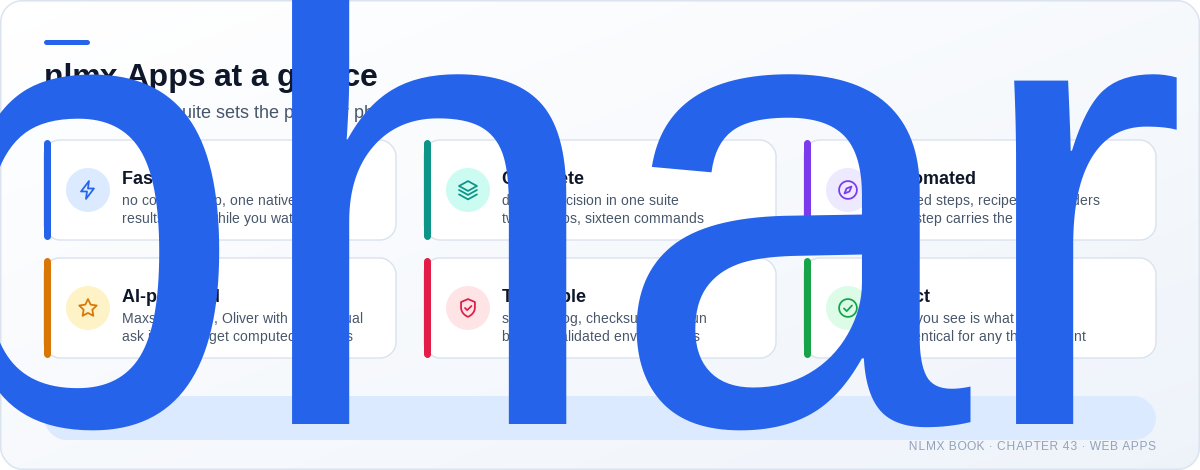
The nlmx web apps put the whole population PK/PD workflow of nlmx behind forms, live consoles and result viewers that open in a browser. A pharmacometrician, a clinical pharmacologist or a trial statistician opens an app, drops in a dataset, presses Run, and watches a real nlmx analysis stream by. There is nothing to compile, nothing to configure first and nothing to convert between steps. The apps are hosted: users simply use them, free, or take the Pro package when the work must be done in a validated environment (see Free, Pro, validated use and limits).
This chapter describes every app in depth: what question it answers, how to drive it, what you get back, how it connects to the others, and where its documented limits are. It is written for working analysts, so each page is a practical tour with the reasoning that makes the results trustworthy.
Why this suite sets the pace
- Fast. Every app drives the same native nlmx engine. There is no compile step before a run, so simulation-heavy work such as VPCs, exposure simulations and power studies starts at once. Results are bit-identical for any thread count and reproducible with a seed.
- Complete. From designing a study and cleaning raw files, through quality control, exploration, non-compartmental analysis, model building, covariate search and predictive checks, to simulation, sample size, exposure-response, bioequivalence, drug interactions and trial-level decisions, one suite covers the chain. Twelve apps and sixteen engine commands follow the order in which a project uses them.
- Automated. Results become the inputs of the next step with one click. A recipe replays a data build, a run folder records every setting, and an assistant can propose and run commands for you.
- AI-powered. Maxson, the assistant built into nlmx, works offline on the service. Oliver, a large-model agent, reads your message first, searches the nlmx manual, cites it, and starts only real nlmx commands. The engine computes; the model never does.
- Traceable. Every run keeps its settings, exact command, log and files. Exports are sealed with checksums so they can be verified years later.
- Exact. The browser never sends a command line. A shared module builds the arguments for the live preview and for the run, so what you see is what runs.
The apps in one table
| App | Question it answers | Engine commands |
|---|---|---|
| DataGen | What would data from this design look like? | generate |
| Prep Studio | How do I turn raw files into a NONMEM-ready dataset, repeatably? | replayable recipe |
| QC | Is the dataset, and the model code, fit to be analysed? | qc-data, qc-nm |
| EDA | What is in the data? | eda |
| NCA | How much drug did each subject get, and how do groups compare? | nca |
| Models | What is the model, which covariates matter, is it good? | autoinit, screen, fit, cov, vpc, forest |
| Exposure Lab | What exposures, how many patients, how does response follow exposure? | sims, power, er, generate, simulate-study |
| BE & DDI Studio | Is it bioequivalent? What does an interaction or impairment do? | ABE, ABEL, RSABE, NTID, DDI, renal, hepatic |
| Trial Simulator | How likely is the program to succeed? | trial simulation |
| One in nlmx | Everything, in workflow order, on one list of runs | all sixteen commands |
| Maxson in nlmx | The same, by conversation | all sixteen, proposed by an assistant |
| Super in nlmx | Manual forms and assistants together | all sixteen, two ways |
How to read this chapter
Pages 1 to 5 explain the shared design: why web apps, the suite map, the anatomy of an app, viewers and comparison, and run management. Pages 6 to 15 tour the single-purpose apps in workflow order. Pages 16 to 19 cover the combined workspaces, the two assistants and the R and plotting tools. Pages 20 to 22 bring it together: chaining, a worked study, and Free versus Pro with the honest limits.
Scope and evidence
The descriptions follow the documentation shipped with each app. Where an app documents a limit, the page says so, and the figures are schematic: they illustrate layout and ideas, not results from a particular study. Details of the Pro package and its pricing are published by the provider and are not repeated here.
Navigation
Begin with why web apps, then the suite map. Jump to a single app from the table above, or to the worked study. This chapter follows Chapter 42 and precedes Appendix A.