35.7 One-shot requests, conversations, stdin, and questions
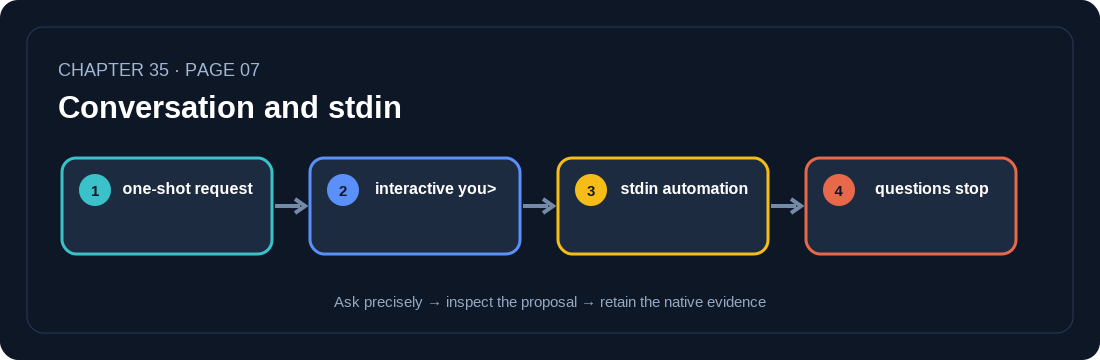
A quoted request on the command line starts one request and may return to you> when attached to a terminal. With no request, the greeting asks what to do. Type exit, quit, bye, or q to end. Conversation state lets later messages refer to earlier outputs within context limits.
How to use it
In automation, a request may come from stdin. Without a terminal, interactive confirmation cannot be answered: commands are shown/declined unless --yes is permitted. A model question also ends that noninteractive request. The executed Chapter 35 question session ended “a question for the user” with zero commands run.
Practical interpretation
Use one-shot mode for frozen tasks and automation; use conversation for iterative choices requiring human judgment. In either mode, preserve the session folder. Do not rely on conversational memory as the only specification—important choices belong in settings files and exact commands.
Executed/reference evidence: Question-without-terminal transcript.
Choosing an interaction style
Use a one-shot request when the work is completely specified and repeatable—for example, a scripted guide-only check of one frozen settings file. Use a conversation when a qualified person must select an endpoint, resolve a data ambiguity, or review one stage before the next. Conversations are convenient, but they accumulate context and can make later pronouns such as “that model” ambiguous. Restate paths and important choices when consequences are material.
For redirected standard input or another nonterminal environment, assume nobody can answer a confirmation or a model question. A request that needs missing information may end cleanly without running anything. That is correct behavior, not necessarily an error. Automation should assert the JSONL end reason and executed-command count, not merely process exit zero. If full unattended execution is intended, every input and choice must be fixed, policy must permit --yes, and post-run checks must distinguish declined, failed, corrected, and successful child steps.
A safe novice workflow
- Start with the narrowest backend, policy, files and command set that can answer the request.
- Name exact inputs and decisions; use guide or plan-only before granting execution.
- Inspect the normalized command and complete settings file, not only Maxson’s explanation.
- Read request end state, native command result, warnings, outputs and checksums.
- Preserve the session and record the qualified person’s interpretation and disposition.
Review and pitfalls
When a question appears, answer the scientific choice explicitly. If the question exposes missing requirements, revise the request rather than forcing an assumption.
- A session exit code of zero does not prove that every proposal ran or succeeded.
- Model fluency, structured JSON, and policy approval do not establish scientific validity.
- Settings and commands are reproducibility inputs; they still require versioned software and frozen data.
What to retain
Retain .ask, backend/model identity, system prompt, request, raw/normalized replies, transcript, JSONL events, settings versions, commands, child logs/outputs, checksums, exceptions, and reviewer conclusions.
Navigation
See the previous page, next page, and complete ask command and settings index.