10.7 SVG files: editing and preservation
SVG is XML describing vector geometry, text and styling. Lines and labels remain sharp at different display resolutions, which makes SVG the natural archival master for most diagnostic and publication graphics composed of points, paths and text.
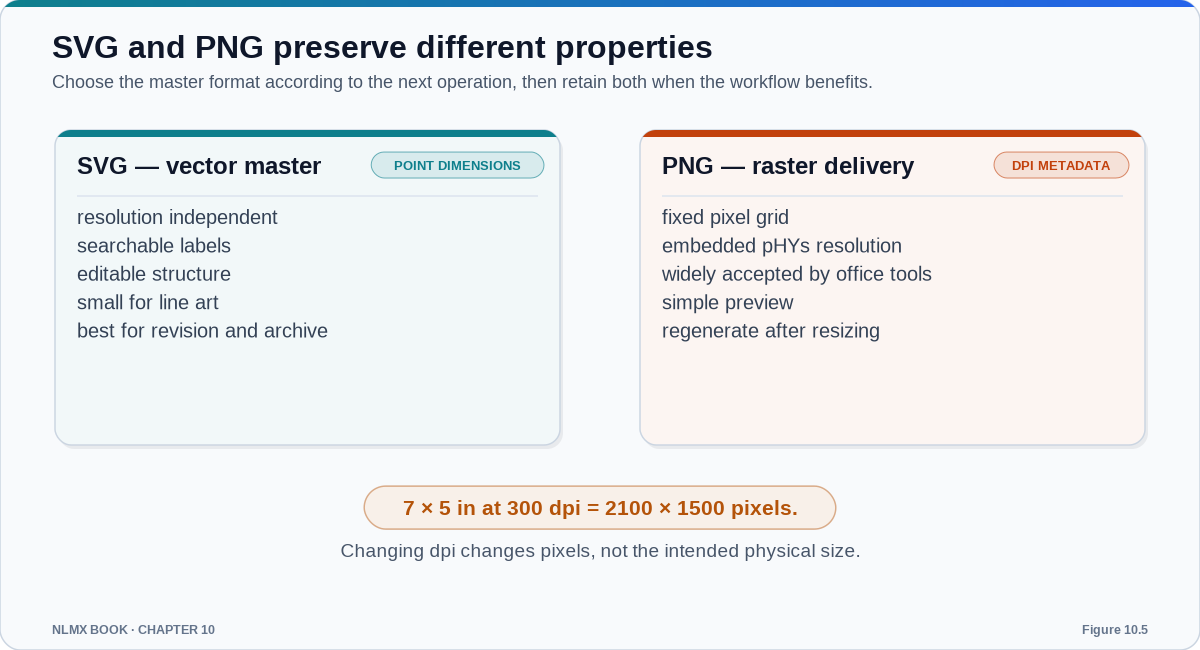
Figure 10.5. SVG preserves editable vector structure; PNG preserves a fixed rendered pixel grid and physical-resolution metadata.
Physical SVG conversion
The plotting engine works in SVG user units. Before standalone publication SVG is written, physical_svg() changes dimensions to point units so an editor can place it at the intended physical size. One point is 1/72 inch. Inspect the root <svg> element for width, height and viewBox; the view box controls internal coordinates while width and height communicate placement.
Fonts and text
Web SVG normally relies on the report's font stack. The print theme points to the bundled Liberation Sans family, and PNG rasterization embeds Liberation Sans Regular and Bold from project assets. An external SVG editor can substitute fonts if it ignores the declared family or lacks the font. Font substitution changes line breaks and label extents even when the data are unchanged.
Before submission, either preserve an approved font environment or convert text to paths according to publisher rules. Path conversion improves visual portability but destroys searchable/editable text, so retain the original SVG as well.
Safe editing boundary
Acceptable editorial edits include moving a legend, correcting an approved title, or changing a documented color to meet publication standards. Editing points, lines, axes or numeric labels by hand breaks the connection with machine output. Regenerate scientific geometry from its source whenever possible.
Record the transformation from generated master to submitted figure. A checksum of the original and final file, a short change log and reviewer sign-off are more defensible than an unexplained file named figure_final_final.svg.
SVG validation
SVG can be syntactically valid yet visually broken. Validate XML, open it in at least one browser and the target editor, inspect at 100% final size, and confirm that no external URLs or unavailable font resources are required. Searchable <title> elements can help interactive review but should not contain confidential row-level data.
Common mistakes
- Assuming vector means physically sized.
- Manually moving scientific marks instead of regenerating the plot.
- Discarding the editable SVG after converting text to paths.
- Ignoring font substitution in a journal or office workflow.
Checklist
- Inspect root dimensions and
viewBox. - Validate XML and render in the target application.
- Preserve the unedited generated master and change log.
- Confirm the SVG has no unintended external dependencies.
Further reading
See the figure pipeline, PNG output and archiving.