29.10 Generated project layout and downstream handoff
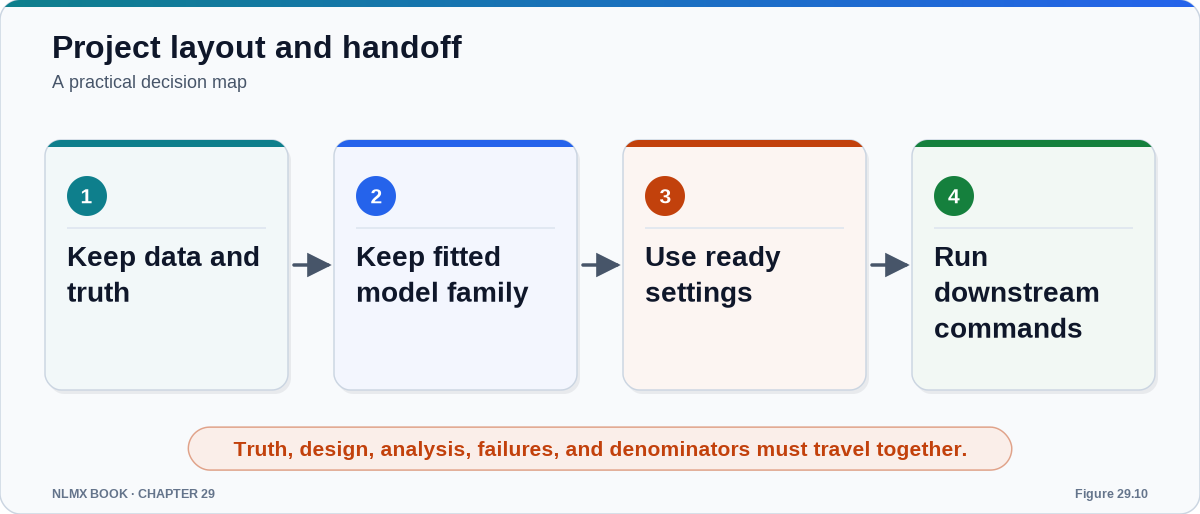
Synthetic projects place analysis.csv under data, truth and fitted model families under the project, groups.csv at the root, and ready settings for covariate analysis, VPC, and optional forest plots. Existing-data projects omit truth/groups and may add id_map.csv. README.md records design, truth or column transformations, fit results, and next commands. In the executed 4.14.3 runs, described synthetic designs wrote checksums.sha256, while the stable preset and existing-data project did not; create and retain an external integrity manifest when the command does not emit one.
Why this matters
The choice on this page changes either the generated truth, the information available to the fit, the analysis decision rule, or the denominator of an operating characteristic. A novice should be able to point to the corresponding setting and output column. A reviewer should be able to trace every aggregate back to a generated project, completed engine run, and relationship-level row.
Detailed behavior
- run101 is the base fitted model and run102 is the estimated covariate model when requested.
nlmx.covarpoints at run101 so selection can be compared with known synthetic truth or explored on real data.nlmx.vpcincludes GROUP stratification and BLQ configuration when applicable.nlmx.genis the resolved design and can rebuild the project in a new output directory.
Keep four layers separate: design truth defines what was generated; realised data contain finite random variation; fitted artifacts estimate the model from those data; and analysis decisions classify relationships under a method and threshold. Mixing these layers is the most common source of incorrect recovery claims.
Example command or settings fragment
cd study
nlmx cov -c nlmx.covar --method both
nlmx vpc -c nlmx.vpc --plots
nlmx forest -c nlmx.forest --plots
Begin with an inexpensive smoke run, inspect every generated artifact and warning, and only then increase subjects, scenarios, engines, or replicates. Use a new output directory for each analytical run. In a regulated or validation setting, preserve both the command as issued and the resolved settings or generated configuration because defaults and precedence are versioned behavior.
Interpretation and quality control
Use the project as an immutable input to downstream exercises. Write analysis outputs into distinct subdirectories and retain generated checksums when present. For preset and existing-data outputs in 4.14.3, calculate an external recursive hash manifest before handoff so teaching or validation changes remain traceable.
At minimum, verify subject/record counts, truth coefficients and forms, fit convergence, covariance status, relationship scope, classifications, completed denominators, and checksums. Read the row-level result before trusting a scenario metric. A graph is a compact diagnostic view; numerical tables remain authoritative.
Common mistakes
- Editing truth.ctl after data generation
- Mixing outputs into the project root without provenance
- Assuming ready settings remove the need to inspect their scope
Also avoid describing a failed or skipped cell as a zero rate. Missing, undefined, failed, rejected, and uncertain are different states and must remain distinguishable.
Evidence to retain
- nlmx version, command, configuration, seed behavior, threads, and runtime environment;
- generated truth/control stream, data, group/design definition, base and optional covariate fits;
- engine settings, relationship scope, row-level results, summaries, metrics, report, failures, and completed denominators;
- checksums, scripts used to regenerate figures, tolerances, acceptance rules, and scoped interpretation.
Navigation
See the previous page, next page, and complete command and settings index.