27.24 TIME, TAD, PRED, and custom x axes
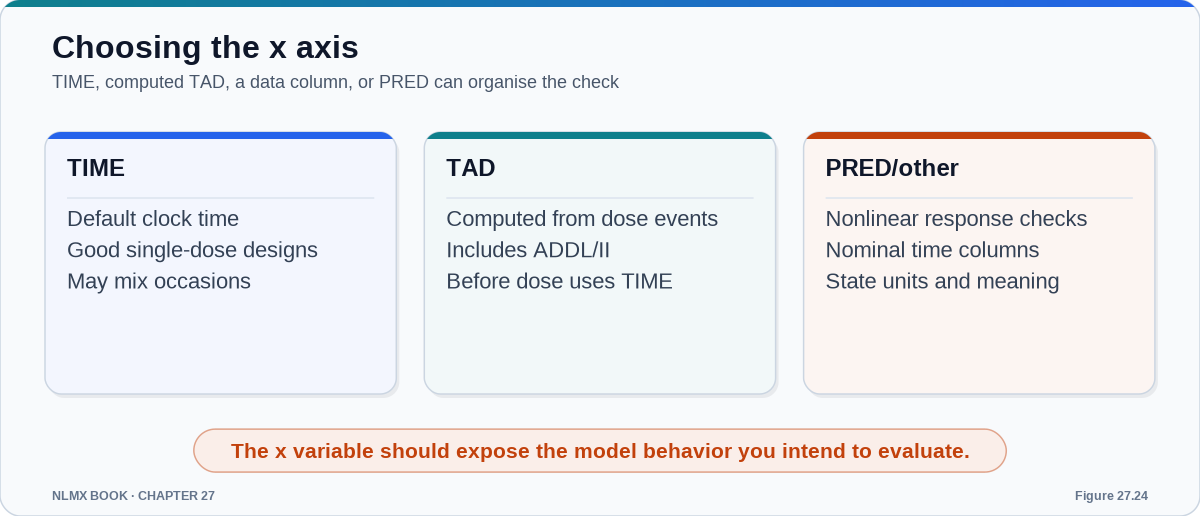
The default x variable is TIME. --idv TAD uses a dataset column when present or computes time after dose from dose records, including ADDL/II; before the first dose it uses TIME. --idv PRED evaluates the distribution against population prediction, and any model-visible numeric data item can be used.
Novice translation
This topic changes three practical decisions in a predictive-check review. First, tAD often aligns repeated-dose occasions better than absolute time. Second, pRED can reveal response-dependent residual or variability problems in nonlinear PK/PD models. Third, log x axes omit nonpositive values visually but leave them in binning, percentiles, NPC, and tables with a note. Keep those decisions separate: one defines what is simulated or summarised, another controls how evidence is displayed, and the last controls what conclusion the evidence can support. A reviewer should be able to reproduce each decision from the resolved settings and numerical tables, not infer it from the appearance of the figure.
What to understand
- TAD often aligns repeated-dose occasions better than absolute time.
- PRED can reveal response-dependent residual or variability problems in nonlinear PK/PD models.
- Log x axes omit nonpositive values visually but leave them in binning, percentiles, NPC, and tables with a note.
Practical interpretation
Choose the x variable that exposes the mechanism of interest and give an axis title with units.
Evidence to retain
For time, tad, pred, and custom x axes, retain the issued command, vpc_settings.vpc, the source model/data/result identifiers, seed and replicate count, the relevant CSV/JSON fields, warnings and notes, and the exact figure used for interpretation. Record any sensitivity run that changed the conclusion. If an option was selected after seeing the data, label that analysis exploratory. This evidence separates a reproducible diagnostic decision from a visual impression and lets another pharmacometrician check counts, transformations, exclusions, and uncertainty assumptions.
Common mistakes
- Calling computed TAD a source column
- Using log TIME without reporting omitted zeroes
- Choosing an axis only for appearance
Page checklist
- State IDV source
- Verify units
- Review computed TAD
- Report log-axis exclusions
Further reading
See previous page, next page, complete VPC command and settings index.