35.20 Writing strong requests and reviewing the result
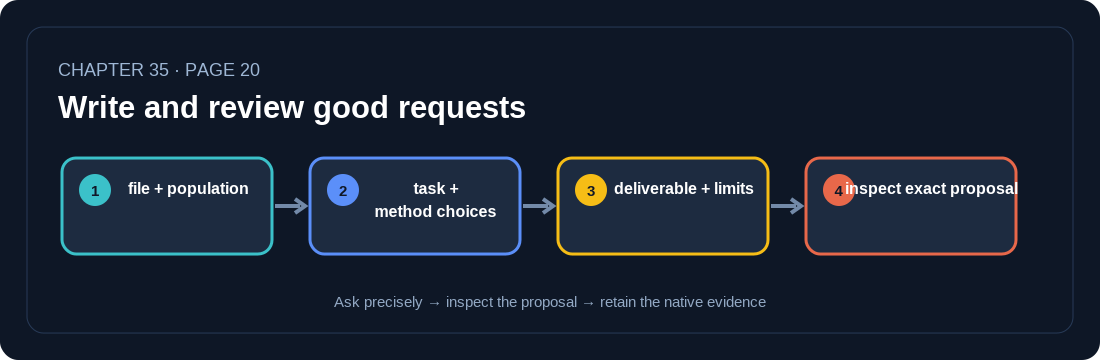
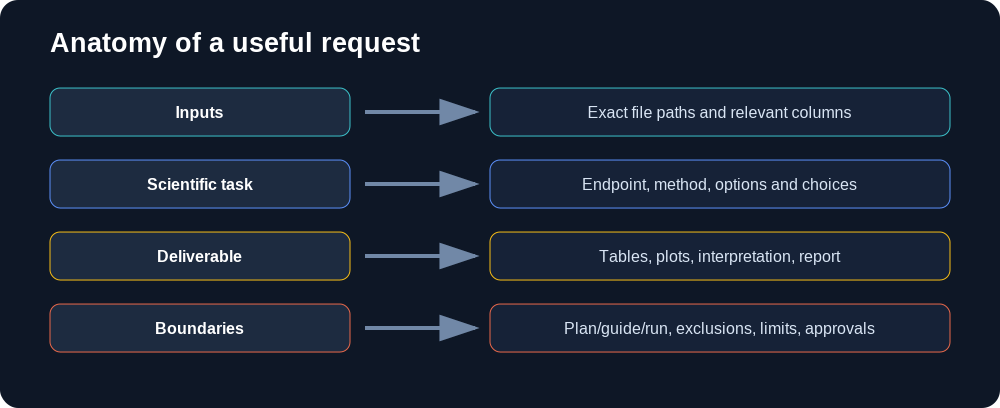
A useful request names exact files, population/endpoint/design, desired command or scientific task, required options/settings, deliverables, and boundaries. Example: “Plan only: run er on data/er/er_data.csv, CHG versus AUC, placebo ARM=Placebo, linear and Emax only; show exclusions and tell me which files to review.”
How to use it
For guidance, say “guide me; run nothing.” For execution, state choices Maxson should not guess. Break complex workflows at decision points: QC first, then structural screen, then review before fitting; do not ask one small model to infer an entire protocol.
Practical interpretation
Before approval, compare narrative with exact command/settings. After execution, verify subject counts, exclusions, method, convergence/warnings, uncertainty and native outputs. Ask Maxson to cite the result file, then open it. Preserve disagreements and unfavorable results.
A request-and-review template
Write the request in six lines: mode (guide, plan-only, or execute); input (exact files); objective (question/endpoint/population); method (command and required choices); deliverables (settings, tables, plots, report); and boundaries (what not to infer or run). For example: “Plan only. Use data/er/er_data.csv. Prepare ER settings for CHG versus AUC, placebo ARM=Placebo, linear and Emax only. Save the complete settings and show the exact command. Do not execute or choose a final model.”
Review in the same order. Confirm mode and command count, input identity, estimand and population, method/settings, and deliverables. Then inspect native counts, exclusions, diagnostics, warnings, estimates and uncertainty. Separate three statements in the final note: what the software computed, what Maxson summarized, and what the qualified reviewer concluded. This separation makes disagreement visible and prevents fluent narrative from becoming undocumented scientific approval.
A safe novice workflow
- Start with the narrowest backend, policy, files and command set that can answer the request.
- Name exact inputs and decisions; use guide or plan-only before granting execution.
- Inspect the normalized command and complete settings file, not only Maxson’s explanation.
- Read request end state, native command result, warnings, outputs and checksums.
- Preserve the session and record the qualified person’s interpretation and disposition.
Review and pitfalls
The final human handoff should state what ran, versions, inputs, settings, outputs, key result with uncertainty, warnings/failures, sensitivity/validation status, and what remains a human decision. Fluency is never evidence.
- A session exit code of zero does not prove that every proposal ran or succeeded.
- Model fluency, structured JSON, and policy approval do not establish scientific validity.
- Settings and commands are reproducibility inputs; they still require versioned software and frozen data.
What to retain
Retain .ask, backend/model identity, system prompt, request, raw/normalized replies, transcript, JSONL events, settings versions, commands, child logs/outputs, checksums, exceptions, and reviewer conclusions.
Navigation
See the previous page, next page, and complete ask command and settings index.