35.9 Auto mode, guide mode, plan-only, and slash commands
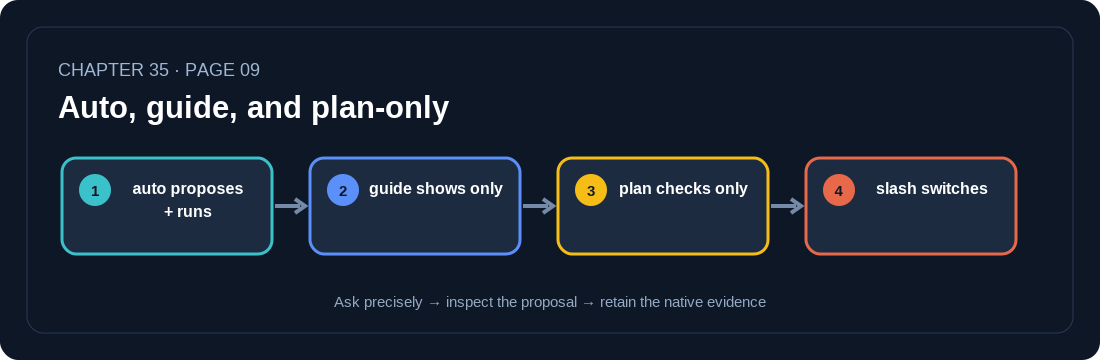
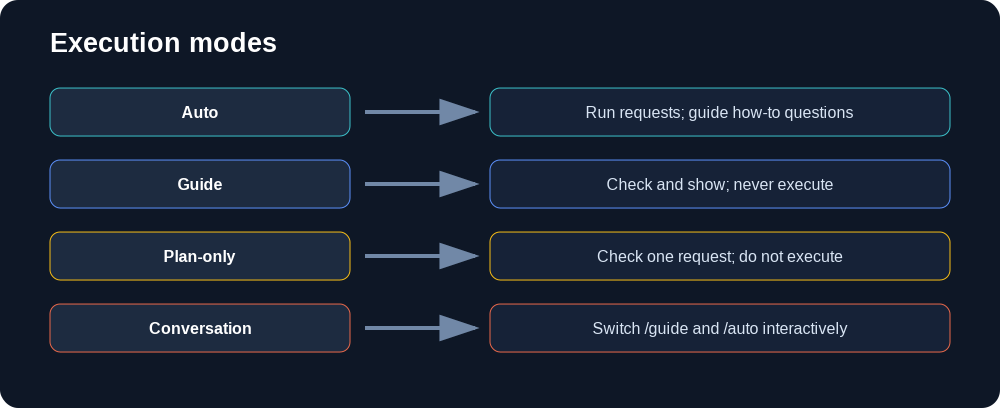
Auto is the default: run-oriented requests can execute after policy/confirmation, while how-to wording may receive guidance. Guide mode guarantees Maxson runs nothing; proposals are checked and shown for the user to type. --plan-only applies to a request, checks plans, writes needed settings, and stops without analysis execution.
How to use it
Set [assistant] mode="guide" for a guide-only session. In an interactive conversation, /guide and /auto switch behavior; /help lists these commands. A noninteractive run cannot use later slash input.
Practical interpretation
The executed guide session showed nlmx qc-data data/er/er_data.csv as “to run it yourself” and recorded zero commands. Chapter 34’s plan-only session wrote a default .er and showed a session-owned output path but ran no analysis.
Executed/reference evidence: Guide-mode transcript.
Selecting the safest mode
Guide mode is best for learning syntax, reviewing a proposed workflow, or working where execution is not authorized. Plan-only is stronger when the request needs a concrete, validated settings artifact: Maxson may save session-owned settings and show the exact command but stops before starting the analysis. Auto mode is appropriate only after inputs and policy are understood, because it can progress from explanation to a command proposal.
Test the distinction rather than trusting wording. A guide-mode session should have no child command events. A plan-only session may contain saved files but no executed analysis. An auto session can still end with zero commands if the model asks a question, the operator declines, or policy refuses. The session transcript, JSONL events, command ledger, and step folders establish which state occurred. Slash commands change the current interactive conversation only; a durable site rule belongs in .ask.
A safe novice workflow
- Start with the narrowest backend, policy, files and command set that can answer the request.
- Name exact inputs and decisions; use guide or plan-only before granting execution.
- Inspect the normalized command and complete settings file, not only Maxson’s explanation.
- Read request end state, native command result, warnings, outputs and checksums.
- Preserve the session and record the qualified person’s interpretation and disposition.
Review and pitfalls
Guide answers and planned commands still require technical review. Guide mode protects against execution, not incorrect prose. Plan-only may write within the session, so “nothing ran” does not mean “no files were created.”
- A session exit code of zero does not prove that every proposal ran or succeeded.
- Model fluency, structured JSON, and policy approval do not establish scientific validity.
- Settings and commands are reproducibility inputs; they still require versioned software and frozen data.
What to retain
Retain .ask, backend/model identity, system prompt, request, raw/normalized replies, transcript, JSONL events, settings versions, commands, child logs/outputs, checksums, exceptions, and reviewer conclusions.
Navigation
See the previous page, next page, and complete ask command and settings index.