35.18 Troubleshooting builds, model files, servers, and performance
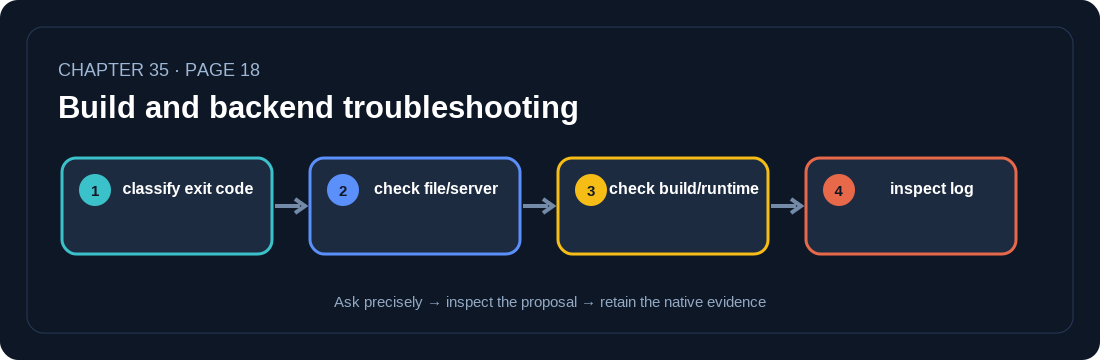
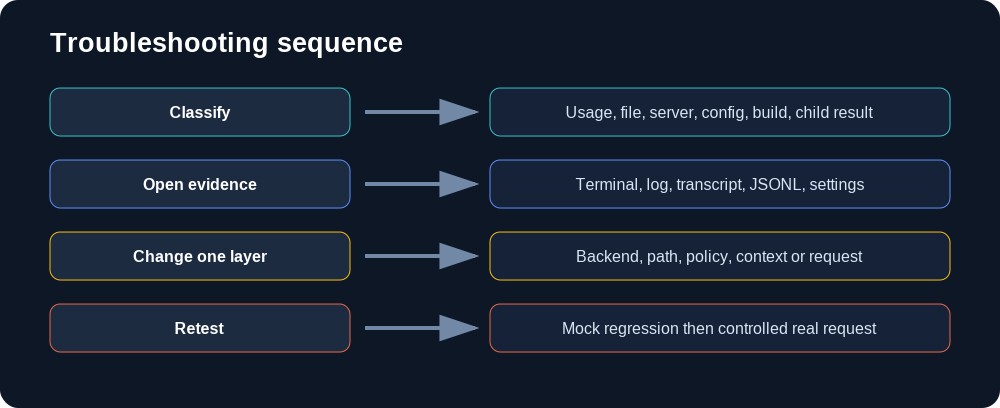
Classify the first error and exit code. Missing GGUF lists search paths; an explicit absent file is I/O exit 3. Embedded requested in a no-default-features build exits 5. Build errors around libclang require LLVM/LIBCLANG_PATH; CUDA startup needs matching runtime libraries and drivers.
How to use it
Server failures: verify process/port, URL, model name and localhost policy. Port 8080 is default; Ollama commonly uses 11434. A 400 may require json_mode=false; a remote URL needs explicit policy; HTTPS is unsupported.
Practical interpretation
For slowness, inspect model size, context, CPU threads, GPU report, prompt length and server load. Reduce contention or use a qualified smaller model; do not blindly reduce context below the system/history requirement.
A diagnostic decision tree
If initialization fails, first read the outer exit code. Code 5 points to an embedded-capability build mismatch. Code 4 points to .ask parsing or validation. Code 3 points to file I/O or server connectivity. Code 2 commonly points to usage, missing model discovery, or an invalid backend combination. Fix the first concrete error before changing performance controls.
For embedded failures, verify the exact binary features, GGUF path/readability, file hash, model compatibility, memory, and runtime libraries. For server failures, verify listening address, route, model tag, response-format support, timeout, and local/remote policy. For performance, separate model loading, prompt evaluation, generation, and child-analysis time. Do not solve a policy refusal by broadening policy until you have proved that policy—not a wrong path or request—is the problem. Preserve the failing log for comparison with the corrected run.
A safe novice workflow
- Start with the narrowest backend, policy, files and command set that can answer the request.
- Name exact inputs and decisions; use guide or plan-only before granting execution.
- Inspect the normalized command and complete settings file, not only Maxson’s explanation.
- Read request end state, native command result, warnings, outputs and checksums.
- Preserve the session and record the qualified person’s interpretation and disposition.
Review and pitfalls
Read the nlmx log and server log together. Change one layer at a time. Record the corrected environment in deployment documentation rather than relying on a transient shell variable.
- A session exit code of zero does not prove that every proposal ran or succeeded.
- Model fluency, structured JSON, and policy approval do not establish scientific validity.
- Settings and commands are reproducibility inputs; they still require versioned software and frozen data.
What to retain
Retain .ask, backend/model identity, system prompt, request, raw/normalized replies, transcript, JSONL events, settings versions, commands, child logs/outputs, checksums, exceptions, and reviewer conclusions.
Navigation
See the previous page, next page, and complete ask command and settings index.