28.43 Worked examples: supplied design and parameter uncertainty
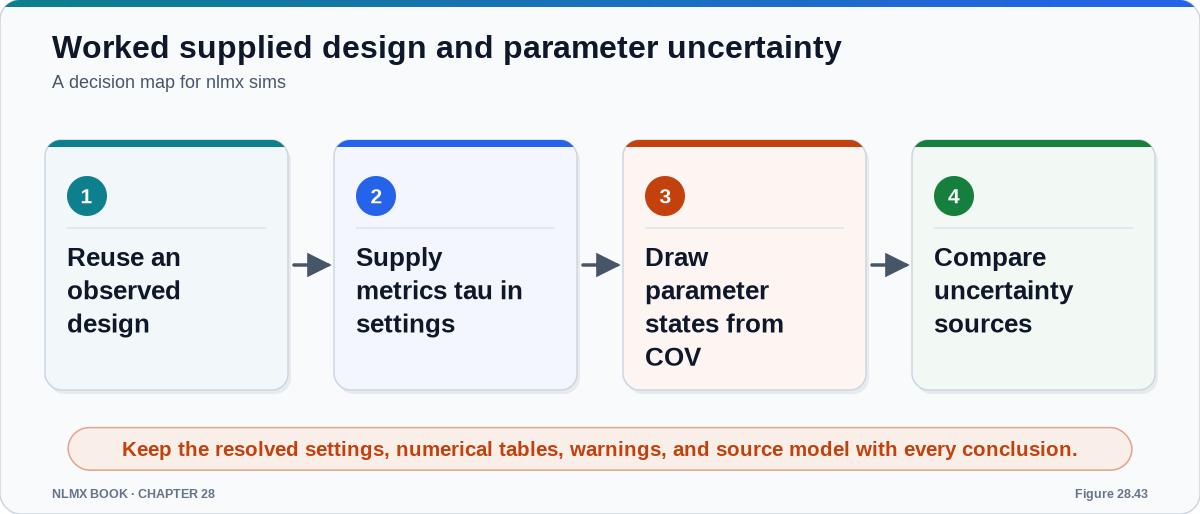
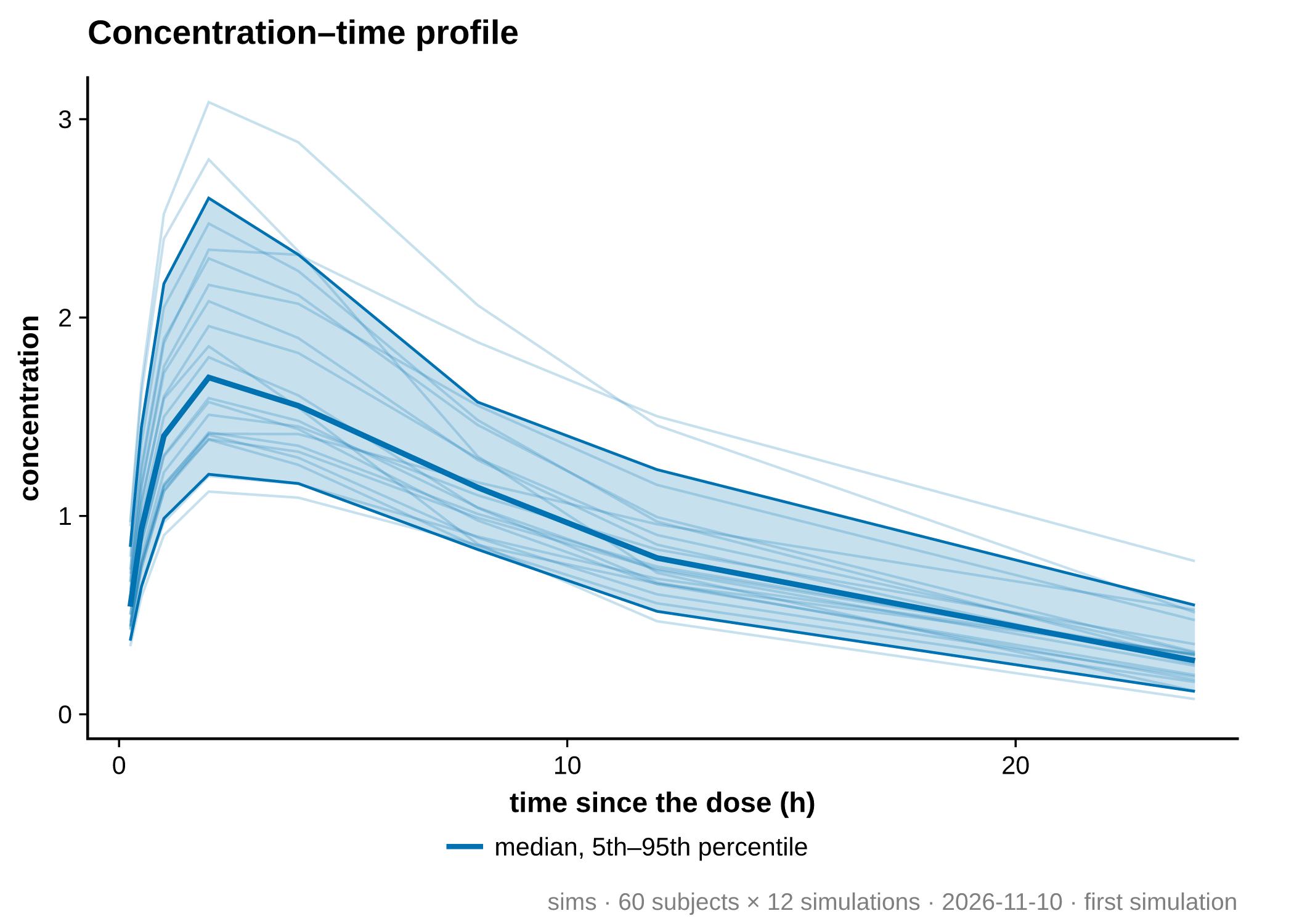
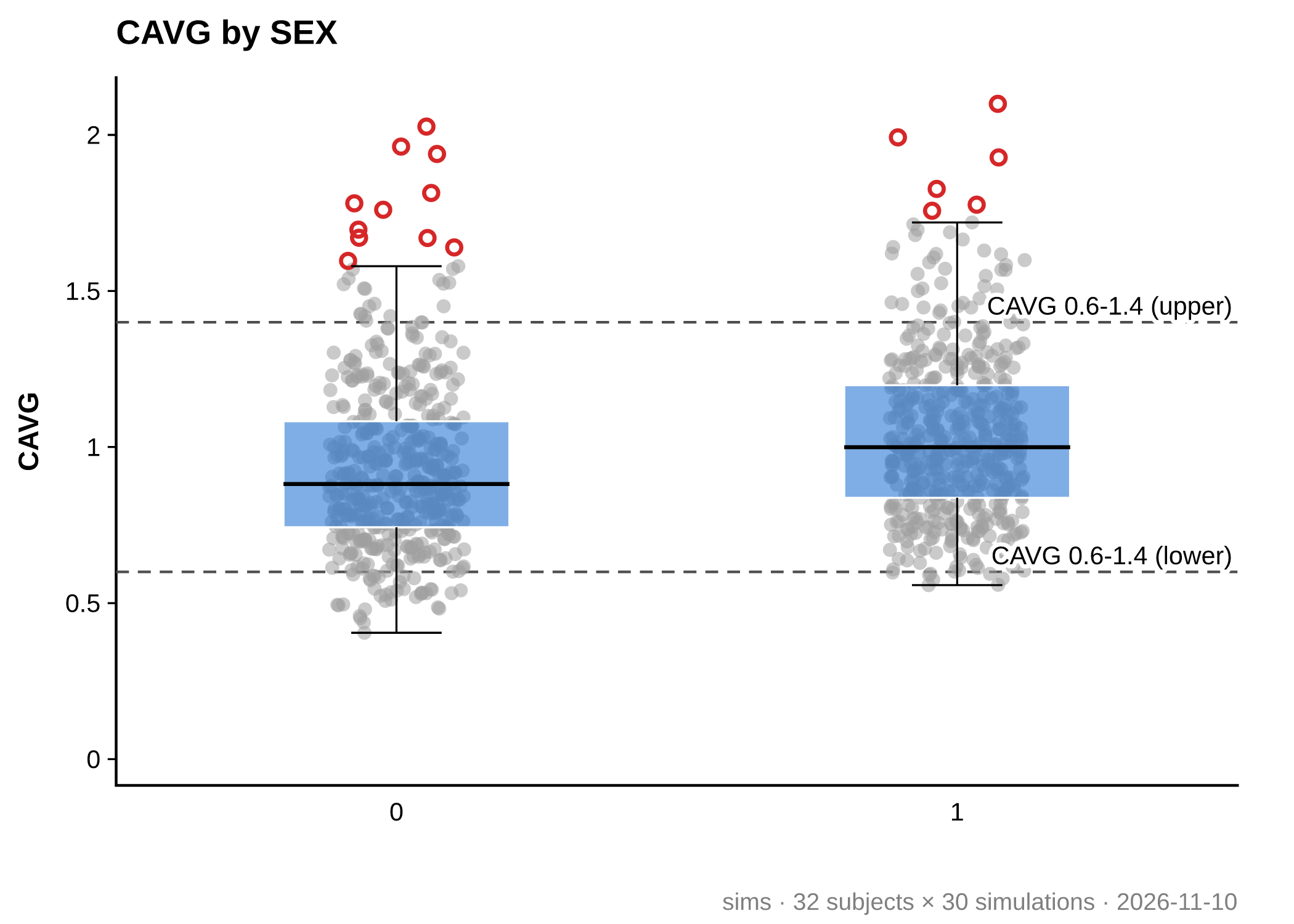
Two executed workflows separate different uncertainty questions. The supplied-design run reused 60 subjects and 480 observations from the Chapter 22 analysis data, simulated 12 studies with EPS zero, and calculated observed-profile metrics. Because the dataset contains one dose without II, [metrics] tau = 24 was required. A separate run generated 32 adults and used the Chapter 26 COV to draw a parameter state for each of 30 studies.
Why this matters
This decision changes what population, random quantity, time interval, or numerical summary the command represents. For a novice, the safest habit is to write the question in one sentence before choosing an option, then verify that the resolved settings and output columns express that same question. For a reviewer, the important distinction is between what was assumed, what was randomly generated, what was calculated, and what can legitimately be concluded.
Detailed behavior
- The supplied design produced 720 subject-simulation rows; all intervals were flagged not fully covered by the protocol-time observed profile, so its AUCs are partial covered areas.
- Its pooled CAVG was 0.8915 and target attainment 91.25%, but coverage notes constrain interpretation.
- The uncertainty run reported nine drawn parameters and zero rejected draws.
- Its CAVG target attainment was 87.92%, with 75–96.88% across studies.
The subject-level table is the bridge between the design and the exposure result. Use it to check IDs, arms, population labels, age, sex, weight, dose, interval start, tau, ETA values, and added covariates. Use the metric table to check one row per subject and simulation, the requested metric columns, and COVERED. Use pooled and replicate summaries for different purposes: pooled rows describe all simulated subject outcomes, while replicate intervals describe how a finite simulated study result varies from study to study.
Example command or settings fragment
nlmx sims -c documents/ch28/input/own-design.sims \
  -o documents/ch28/results/own_design_final

nlmx sims documents/ch28/input/run28.ctl --ext ../ch26/results/fitted_covariate_model/run26.ext \
  --cov ../ch26/results/fitted_covariate_model/run26.cov --param-uncertainty \
  --estimates final --subjects 32 --subproblems 30 --seed 28005 \
  --covariate "EGFR=normal(95,20)[30,160]" --dose 100 --tau 24 \
  --targets "CAVG:0.6-1.4" -o documents/ch28/results/parameter_uncertainty
The earlier own_design folder intentionally retains failed CLI-tau attempts as troubleshooting evidence; own_design_final is the clean successful bundle used by this page.
Start with a small smoke run and inspect the transcript before scaling. For command-line work, quote expressions containing comparison signs, brackets, or commas as required by the shell. For a permanent analysis, prefer a settings file: it exposes settings-only controls, resolves paths relative to itself, rejects unknown keys, and is echoed in fully resolved form with the output.
Interpretation and quality control
This pair shows why a complete report must name design conditioning, profile source, coverage, ETA/EPS policy, and parameter uncertainty separately. A numerically produced AUC is not automatically a full AUCTAU.
At minimum, reconcile the console summary with the CSV/JSON result, inspect warnings and notes, confirm subject and observation counts, verify requested groups and targets, and review the source model's applicability. A chart can reveal shape and subgroup patterns, but every reported number should come from the tables. If a result changes a decision, run a prespecified sensitivity for Monte Carlo stability, parameter uncertainty, population assumptions, and the metric-profile source.
Common mistakes
- Ignoring the COVERED warning
- Combining parameter and residual uncertainty under one label
- Assuming CLI
--tausupplied the sims metric tau in 4.14.3
Also avoid overwriting a completed evidence folder merely to change styling. Create a new scenario directory or preserve the prior checksums so analytical changes remain distinguishable from presentation changes.
What to retain and report
- the nlmx version, complete issued command, submitted settings, and resolved
_settings.sims; - CTL, selected EXT, optional COV or parameter table, and supplied dataset or population-generation assumptions;
- seed, subproblems, thread count, ETA/EPS and parameter-uncertainty policy;
- metric interval, tau, profile source, grid, integration rule, group definitions, and target limits;
- numerical tables, JSON, HTML, figures, transcript, checksums, warnings, sensitivities, and scoped interpretation.
Navigation
See the previous page, next page, and complete sims command and settings index.