13A.29 The complete .custom settings file
Generate a version-matched template rather than copying an old file:
nlmx custom --print-config study.custom
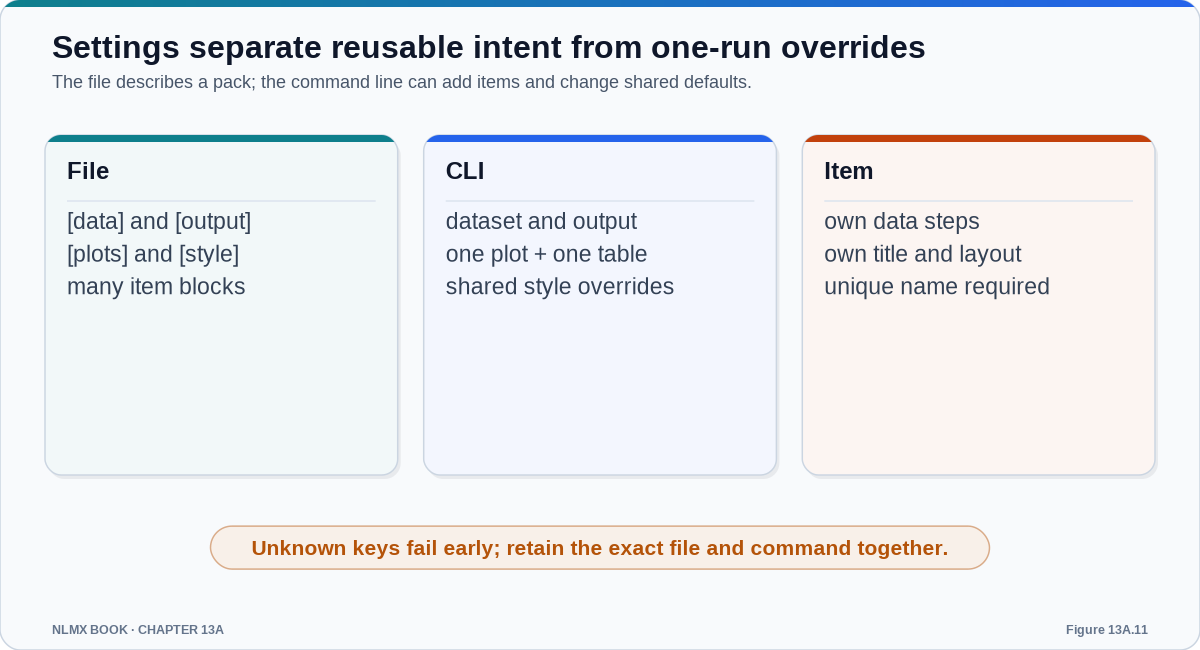
The extension is .custom, and unknown keys are errors. Four shared sections and two repeated block types define a reusable pack.
Shared sections
[data] accepts file, delimiter, skip, header, mutate, filter, distinct, sort, head, and select. [output] accepts directory, csv, markdown, html, tables, json, and digits. [plots] controls width, height, units, DPI, base size, format, and enablement. [style] controls theme, palette, legend position, and jitter seed.
Plot and table blocks
Each [[plot]] accepts a unique name, titles, geom list, aesthetics, facets, axes, reference lines, statistical controls, theme/palette, item size, and its own six data steps. Each [[table]] accepts name/title/footnote, kind, variables/groups/statistics or rows/columns/value/function, percentage method, digits, totals, type overrides, correlation method, and local data steps.
The frozen Chapter 13A settings file contains 19 plots and six tables and is a fully executable reference. It is intentionally broad; production packs should contain only outputs required for review.
TOML arrays are preferable for values containing commas or expressions, while simple comma-separated strings are accepted for many lists. Keep comments explaining scientific intent, not merely syntax. When a project changes a filter, statistic, or denominator, treat it as an analysis change and review the diff rather than silently editing the file in place.
Common mistakes
- Copying a template from a different nlmx version.
- Reusing item names.
- Putting shell quoting inside TOML unnecessarily.
- Applying subject-level distinct in shared
[data].
Checklist
- Generate the template with the target executable.
- Give every item a stable unique name.
- Keep global and item preparation separate.
- Validate relative paths from another working directory.
- Review template differences after upgrades.
Further reading
See precedence, data-step order, command index, and the worked diagnostic pack.