11.7 Thresholds, check selection and severity
Defaults are broad screening assumptions. Replace them with protocol- and population-specific expectations before final review.
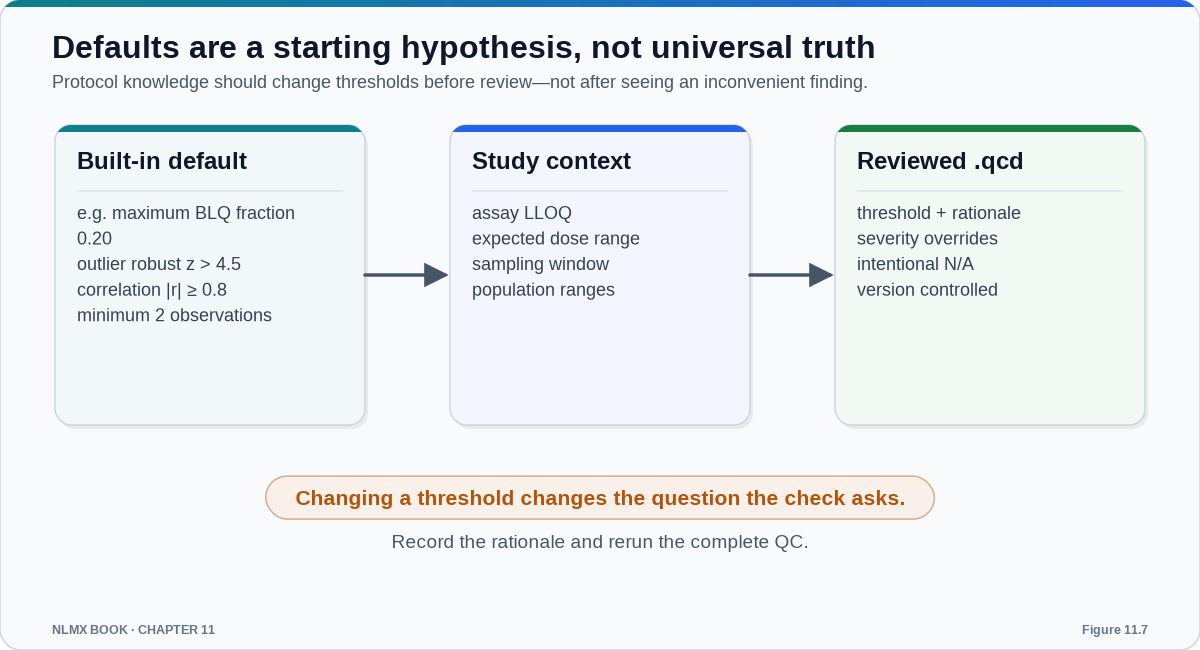
Figure 11.5. A reviewed threshold combines a default rule with study context and a documented rationale.
Threshold examples
Defaults include maximum TIME 100,000, BLQ fraction 0.20, at least two observations per subject, observation outlier robust z-score 4.5 plus threefold separation, covariate correlation 0.8, and covariate Tukey fences at three IQRs. These are not clinical limits.
Turn on optional thresholds when the protocol supplies them: infusion-duration bounds, maximum record gap, minimum dose interval, expected categorical levels and covariate ranges.
Selecting checks
[checks].skip turns off named IDs or categories. [checks].only runs only listed IDs/categories and makes the rest N/A. This is useful for focused debugging, but a release QC should normally run the full applicable catalogue.
[checks]
only = ["REC", "TIM"]
Categories and three-letter prefixes are accepted. Always inspect N/A counts after using selection.
Severity overrides
[severity]
TIM03 = "comment"
DOS01 = "off"
Downgrading negative TIME may be reasonable for planned predose samples; disabling dose requirement may be correct for PD-only data. The setting does not alter the detected rows—it changes their governance status. Record the scientific reason.
Threshold change control
For each changed value, record the default, new value, units, rationale, approver and effective dataset versions. Prefer protocol-derived limits to limits estimated from the same data being judged. If a limit must be data-driven, state the method before inspection and retain sensitivity results. A threshold should be neither so broad that no plausible error triggers nor so narrow that expected biology overwhelms the finding list.
Common mistakes
- Tuning thresholds after seeing results to remove warnings.
- Running only a subset and reporting it as complete QC.
- Disabling a check instead of correcting its column mapping.
- Confusing a severity override with a data correction.
Checklist
- Set expectations before examining findings.
- Document every nondefault threshold and severity.
- Use
onlyfor investigation, not silent release shortcuts. - Review N/A checks and their reasons.
Further reading
See status vocabulary, the settings file and validation limits.