15.1 Your first nca run
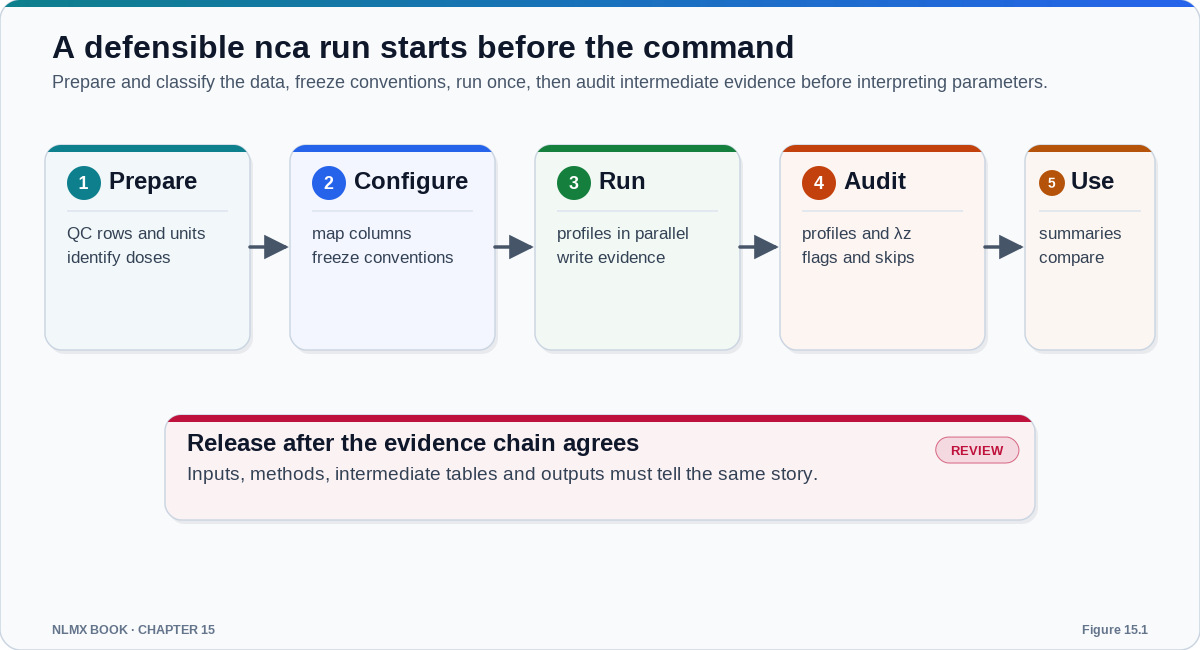
Begin with a checked dataset containing at least subject, time, concentration, and dose information. In PowerShell:
nlmx nca data/pk.csv -o results/pk_nca
Without -o, nlmx creates <dataset folder>/<dataset stem>_nca. The command reads the records, constructs one profile per eligible dosing interval, calculates parameters, summaries, figures, and writes a self-contained output directory.
Read the terminal in stages
The transcript reports dataset reading, subject/observation/BLQ/dose counts, inferred route, profile analysis, output writing, and completion. A completed command can still contain skipped profiles or flagged parameters, so “complete” means the workflow finished—not that every profile passed every quality condition.
Open these files first:
nca_summary.txtfor the command, counts, notes, and compact results.report.htmlfor collapsible tables and figures.nca_parameters.csvfor one row per constructed profile.nca_profiles.csvto see which concentrations were used or transformed.nca_lambda_z.csvto see every terminal regression candidate.
The last two are essential when a half-life, AUCinf, clearance, or volume is surprising.
Move from exploration to a frozen run
Generate the annotated settings template:
nlmx nca --print-config analysis.nca
Edit column names, route, units, BLQ policy, integration method, terminal rules, summaries, and figures. Then rerun:
nlmx nca -c analysis.nca -o results/pk_nca_release
Paths inside the settings file resolve relative to that file. Command-line values override file values, so retain the exact command in review materials.
A first-run review
Compare the printed dose, route, and profile count with study expectations. Inspect several individual plots: one typical, one high/low exposure, and every flagged profile. Confirm units are labels you intended and that clearance/volume magnitudes are dimensionally plausible. Finally, verify checksums.sha256 and preserve the directory without hand-editing outputs.
Common mistakes
- Reading only the summary mean and ignoring profile-level flags.
- Running into an old nonempty directory without understanding
--overwrite. - Assuming automatic route classification is authoritative.
- Deleting the audit tables after copying parameters elsewhere.
Checklist
- Verify the executable version.
- Match dataset counts and route to the study.
- Inspect parameters, profiles, lambda-z candidates, and plots.
- Freeze durable rules in
.nca. - Preserve command, log, settings, and checksums.
Further reading
Continue with minimum dataset requirements, the settings file, and the output bundle.