13A.5 Fixed data-step order and row grain
Data preparation always runs in this order, regardless of the order of CLI options: mutate, filter, distinct, sort, head, select. This deterministic pipeline prevents two visually similar commands from meaning different things merely because flags were rearranged.
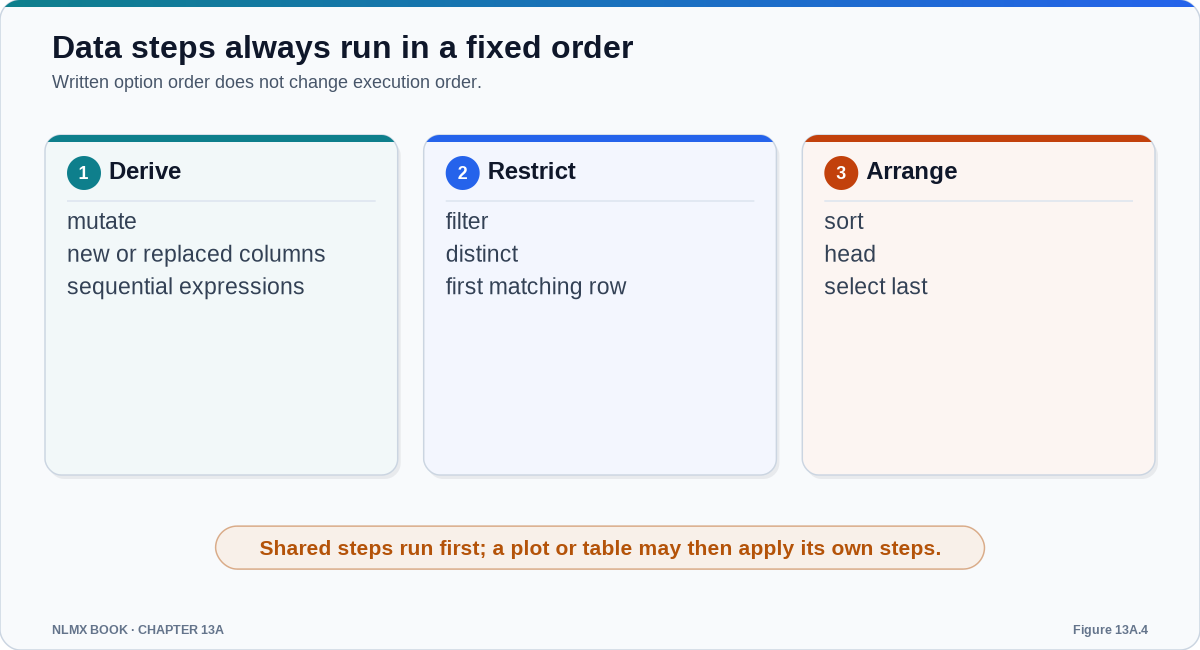
Why order matters
Mutation comes first, so a filter can use a newly created column. Filtering precedes distinct, so removed rows cannot become a subject's representative row. Distinct precedes sort, which means shared --distinct ID --sort TIME keeps the first input row per ID and only then sorts survivors. If the representative row must be the latest time, sort the source upstream or use an item design that guarantees the desired first row; do not assume the displayed option order changes execution.
head follows sorting and therefore selects the first N arranged rows. select runs last because it can remove variables needed by earlier steps.
Shared and item grain
Steps in [data] or on the CLI apply to every plot and table. Steps inside one [[plot]] or [[table]] run afterward for only that item. A diagnostic pack can therefore keep observation rows globally while a demographic table applies distinct = ["ID"] locally.
Write the grain beside each output: “240 observations,” “30 subjects,” or “24 dose-time cells.” The main gallery summary records each item's row count, making grain review possible after generation.
Common mistakes
- Assuming flags execute left to right.
- Applying subject-level
distinctglobally and destroying profiles. - Selecting columns before a later expression needs them.
- Calling repeated records independent subjects.
Checklist
- State the intended grain for every item.
- Walk the six steps in their fixed order.
- Keep only truly universal restrictions in
[data]. - Put subject- or item-specific reduction in its block.
- Reconcile output row counts with expected denominators.
Further reading
Continue with mutate and filter, row-reduction steps, precedence, and denominators.