35.4 CPU threads, CUDA builds, GPU layers, and performance
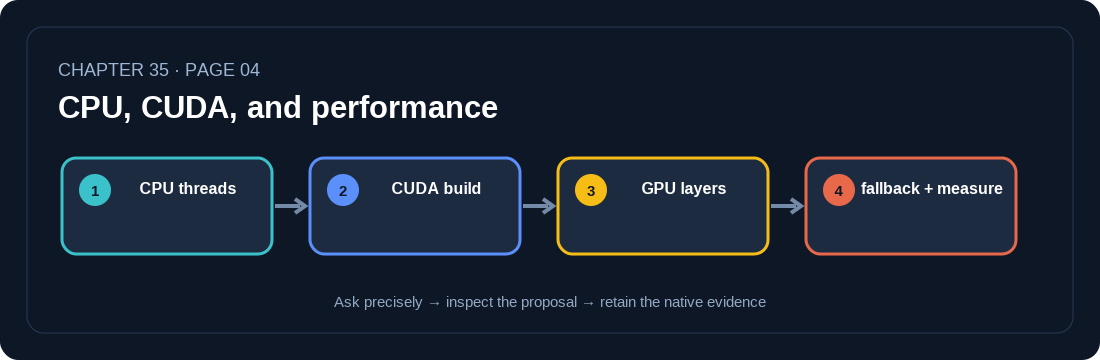
The standard embedded build runs on CPU and defaults to all cores unless [model] threads or --threads constrains it. Conversation state is cached between replies, so the first turn often has the largest prompt-processing cost. Analysis commands usually dominate elapsed time.
How to use it
GPU offload requires an executable with GPU support, an NVIDIA GPU with current driver/runtime libraries and sufficient VRAM. gpu_layers/--llm-gpu-layers accepts auto, all, off, or a number. Auto uses all layers when supported and a GPU is present; otherwise CPU. Failed GPU loading can fall back to CPU with a message.
Practical interpretation
Benchmark time to first reply, tokens per second, memory, CPU contention with nlmx child commands, and long-context stability on representative hardware. Leaving all CPU cores to the model may compete with subsequent analyses; a site cap on --threads can improve predictability.
Reading the performance controls
threads controls model inference, not the thread count of every nlmx child command. More threads can reduce response latency until memory bandwidth or scheduling overhead dominates; using every core may also slow the analysis that follows. gpu_layers describes how much of an embedded model is offloaded. all is fastest only when the complete model and runtime buffers fit available VRAM. auto is a convenience decision, not a performance guarantee.
Benchmark with the same model, context, prompt suite, and machine state. Record model-load time, time to first response, total response time, peak RAM/VRAM, and whether analysis execution contends with inference. Test a long conversation as well as the first turn. If a GPU load falls back to CPU, the request may still work but the deployment is no longer the one you intended to qualify. The startup and log messages are therefore part of the evidence, not incidental diagnostics.
A safe novice workflow
- Start with the narrowest backend, policy, files and command set that can answer the request.
- Name exact inputs and decisions; use guide or plan-only before granting execution.
- Inspect the normalized command and complete settings file, not only Maxson’s explanation.
- Read request end state, native command result, warnings, outputs and checksums.
- Preserve the session and record the qualified person’s interpretation and disposition.
Review and pitfalls
A CUDA executable may not start on a machine without required runtime libraries. Retain a standard CPU build for portability and qualify both binaries separately if both are distributed.
- A session exit code of zero does not prove that every proposal ran or succeeded.
- Model fluency, structured JSON, and policy approval do not establish scientific validity.
- Settings and commands are reproducibility inputs; they still require versioned software and frozen data.
What to retain
Retain .ask, backend/model identity, system prompt, request, raw/normalized replies, transcript, JSONL events, settings versions, commands, child logs/outputs, checksums, exceptions, and reviewer conclusions.
Navigation
See the previous page, next page, and complete ask command and settings index.