This chapter is a lookup reference for nlmx 4.16.1. Option tables are generated from the installed release executable. Read an option in the context of the command page: nlmx uses a global parser, but an accepted option can be irrelevant to a command unless its help text names that command or the command's method chapter defines the behavior.
The safe sequence is: identify the installed version, open that command's help, freeze input/settings/output paths, run into a new or empty output directory, inspect both the process status and the command-native verdict, and retain the log/resolved settings/checksums. A command line is reproducible only when its referenced files and software version are also frozen.
Synopsis
nlmx ask [OPTIONS] [REQUEST]...
Required context. A plain-language request plus an embedded GGUF, local compatible server, or mock script and an optional .ask policy/settings file.
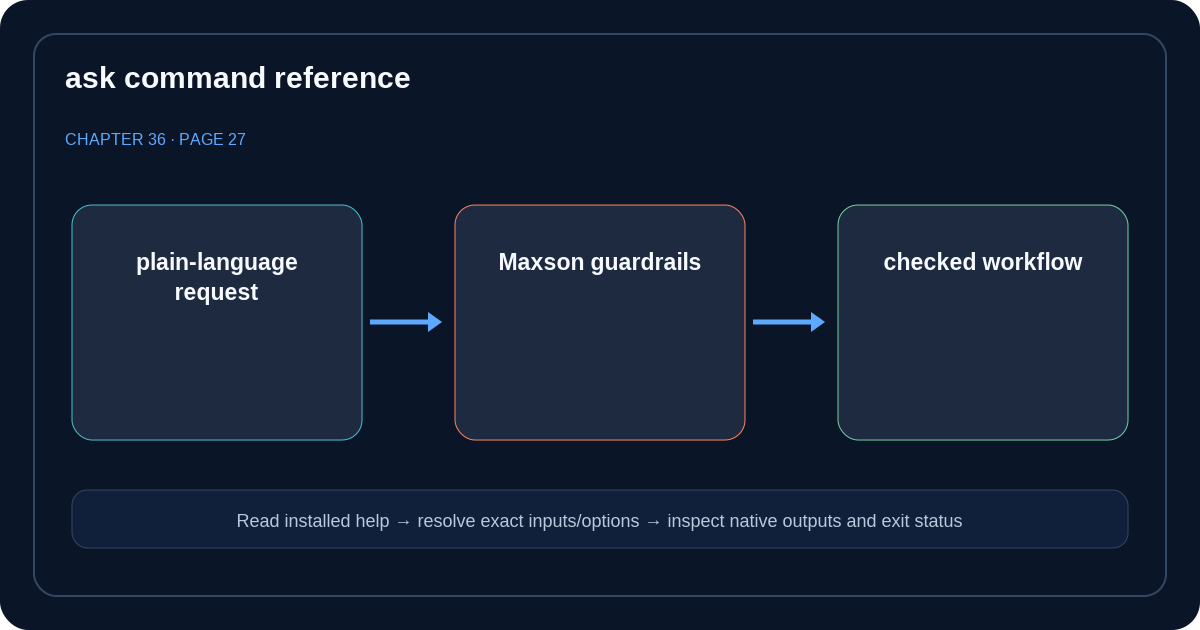
What it does. Uses Maxson to translate requests into checked nlmx actions, guide from the manual, save settings, run approved commands, and summarize native results under deterministic guardrails.
Principal outputs. A session folder containing transcript, JSONL events, commands, resolved settings, prompt, templates/history, numbered child outputs, logs, and checksums.
Positional arguments shown by installed help
[REQUEST]...
          The request, in plain words (quote it)
Practical invocations
nlmx ask -c site.ask --plan-only "check data/pk.csv and list blockers"
nlmx ask -c site.ask "guide me through a VPC; run nothing"
Start with installed help and, when available, generate the complete settings template before entering study choices. Run into a new or empty output folder. After completion, review the command's native summary/verdict, warnings, logs, resolved settings, and checksum manifest—not only the console's final line.
Complete installed option reference
The following 40 options are parsed directly from nlmx 4.16.1 ask --help. The unmodified txthelp snapshot and its SHA-256 are preserved in the jsonhelp inventory. Shared descriptions sometimes mention several commands; apply only the clause naming ask unless its method chapter specifies otherwise.
Options
Option
Installed description
-h, --help
Print help
Method
Option
Installed description
--threads <THREADS>
Worker threads for subject- and replicate-level parallelism (default: all cores). Results do not depend on this value
Core
Option
Installed description
-c, --config <FILE>
Settings file of the command (TOML syntax), with the command's extension: .covar (cov, posterior, inspect, validate, fit), .qcd, .qcn, .eda, .nca, .init, .screen, .vpc, .forest, .sims, .er, .power, .gen, .ask
-o, --output <OUTPUT>
Output directory
--run-dir <RUN_DIR>
Existing run directory, for resume
--overwrite
Allow writing into a non-empty output directory
--dry-run
Run the validation pipeline instead of the full analysis
--no-checkpoint
Do not write replicate checkpoints (posterior engine)
Frozen method
Option
Installed description
--approximation <APPROXIMATION>
Likelihood approximation: auto (from $ESTIMATION, default) | fo | foce | foce-i | laplace; fit and screen also accept saem (SAEM with an importance-sampling objective); screen default foce-i
0 (default) prints progress to the terminal; 1 silences it (the log is still written)
--log-file <LOG_FILE>
Write the transcript here instead of log_<id>.txt
--no-color
Disable ANSI colour
--license
Print the license (CC BY-ND 4.0), the third-party components, how long this version may be used and how to contact the author, and stop
-v, --verbose...
Increase verbosity (repeatable: info -> debug -> trace)
-q, --quiet
Errors only on the terminal (the log file is unaffected)
--keep-subject-ids
Do not hash subject identifiers in outputs
--format <FORMAT>
Output format for schema: txt | toml | json | json-schema [default: txt]
Forest
Option
Installed description
--exposure <LIST>
forest: steady-state exposure rows, comma separated: cmax, cmin, ctrough, auc, cavg (or all), from post hoc individual parameters (--exposure-source posthoc) or the typical subject (typical) er: exposure metric column(s), comma separated (e.g. AUC,CMAX,CAVG)
Generate and simulation study
Option
Installed description
--study-replicates <STUDY_REPLICATES>
Replicate datasets per scenario (simulate-study)
Fit
Option
Installed description
--print-options
fit: print the estimation settings of this control stream as command-line options, every one written out (approximation, iterations, tolerance, covariance step, SAEM), and stop
VPC
Option
Installed description
--filter <EXPR>
R-style condition on data columns. vpc: keep the subjects matching it (at each subject's first record), e.g. "STU > 3001" or "GROUP == 1 & WT < 70 | HT > 154". autoinit, screen: keep the rows matching it (as NONMEM IGNORE/ACCEPT, doses and observations), with text values in quotes, e.g. 'C != "XYZ"' or 'SITE %in% c("A","B")'; an empty cell is "" er: keep the rows matching it
--samples <N>
vpc: number of simulated replicates of the dataset (default 1000)
--print-config <FILE>
write the command's annotated settings template to FILE (with the command's extension, e.g. nlmx.eda, nlmx.vpc) and exit
Dataset (autoinit, screen)
Option
Installed description
--mutate <ASSIGNMENTS>
eda, er, nca: change or create dataset columns before the analysis, R-syntax assignments separated by ;, e.g. "DV = DV * 4; LNDV = log(DV); HIGH = DOSE == 100" (true is 1, false 0); runs before the filters ([data] mutate)
QC
Option
Installed description
--fix-output <FILE>
qc-nm: file name of the corrected control stream (default <stem>_qc<ext> in the output folder)
Sims: simulation
Option
Installed description
--subproblems <N>
sims: number of simulations of the whole study (NONMEM SUBPROBLEMS; default: $SIMULATION, else 1)
Screen
Option
Installed description
--compartments <LIST>
screen: numbers of compartments to try, e.g. 1,2,3 (default)
--absorption <MODE>
screen: absorption models: auto (default: from the route — first-order for oral and mixed data, none for IV) | both | first-order | none | transit (first-order plus transit-compartment absorption, Savic: MTT, NN)
--lag <MODE>
screen: absorption lag time: no (default) | yes | both (models with and without)
--bic-penalty <PENALTY>
screen: sample size in the BIC penalty: bicc (default; ln N_subjects for OMEGAs and THETAs with an ETA, ln N_obs for the rest) | obs | subjects
Ask (Maxson)
Option
Installed description
--llm-backend <BACKEND>
ask: where the language model runs: embedded (llama.cpp in nlmx, a GGUF file) | server (a local OpenAI-compatible server: llama-server, Ollama, LM Studio) | mock
--llm-model <FILE>
ask: the GGUF model file of the embedded backend (e.g. qwen2.5-3b-instruct-q4_k_m.gguf)
--llm-gpu-layers <N|auto|all|off>
ask: layers of the embedded model run on a GPU: auto (default: all of them when this build has GPU support and a GPU is present, else none) | all | off | a number
--llm-url <URL>
ask: the address of the model server (default http://127.0.0.1:8080; Ollama: :11434)
--llm-name <NAME>
ask: the model name the server knows (default qwen2.5:3b-instruct)
--llm-script <FILE>
ask: a JSON list of scripted replies (mock backend: tests and demonstrations)
-y, --yes
ask: run the proposed commands without asking (when the policy allows it)
--plan-only
ask: show the commands the assistant would run, and run none
Interpretation and common failure
The model is not the scientific decision-maker. Review normalized commands, full settings, native results, warnings, end state, and audit artifacts; outer exit zero can include declined/refused/failed child steps.
The detailed method and examples are in the relevant book chapter. Common nonzero process classes are documented on 36.35. A process exit of zero still requires command-native scientific and numerical review.
Minimal handoff record
Record the version, exact command and working directory, input/settings hashes, selected options and defaults, output path, process exit, native verdict or convergence state, warnings/exclusions, principal results with uncertainty, checksum verification, and reviewer disposition.