16.12 Auto versus single-method runs
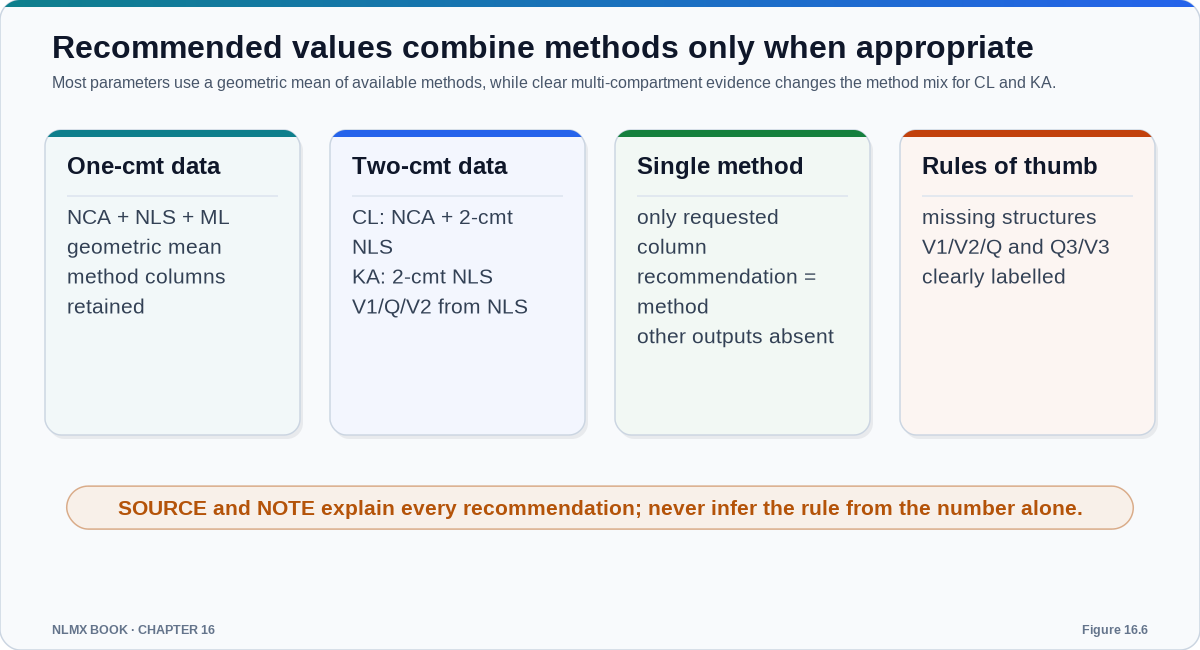
--init-method auto is the default. It runs NCA, NLS, and ML when each has enough evidence, then applies the recommendation rules. A method can be unavailable for some parameters or all subjects without making the entire run fail.
Exclusive single-method behavior
--init-method nca, nls, or ml is exclusive. Only the requested method column appears where it yields a value, and RECOMMENDED equals that method's value. NCA-specific output is absent when NCA is not selected; NCA curve stripping and lag do not secretly supplement an NLS-only run.
Aliases least-squares/ls and machine-learning are accepted. Use the canonical names in controlled scripts for clarity.
When to choose one method
A single-method run is useful for validation, sensitivity analysis, or diagnosing disagreement. NCA-only isolates area/tail assumptions. NLS-only isolates curve fitting and two-compartment evidence. ML-only tests sparse-design behaviour and seed/sample controls.
For primary initialisation, auto usually provides the broadest evidence. On known multi-compartment data, auto or NLS is preferable because one-compartment ML and NCA KA can be biased. On extremely sparse data, NCA may contribute nothing, while NLS/ML can still provide starts.
Store sensitivity runs in separate directories and compare SOURCE, not only recommendation values. A single method producing a number does not prove it was supported equally well across subjects.
Common mistakes
- Assuming NCA always runs inside every method selection.
- Comparing auto with a single method without noting changed structural logic.
- Calling absence of
nca_results.csvan output failure in NLS-only mode. - Selecting the method that best matches a hoped-for final estimate.
Checklist
- State why a method was selected.
- Verify method columns and conditional files.
- Compare successful subject counts.
- Keep auto and sensitivity evidence separate.
- Prefer structure-appropriate methods.
Further reading
Use the complete option index, output-file guide, and troubleshooting.