36A.5 Headings, title blocks, front matter, and contents
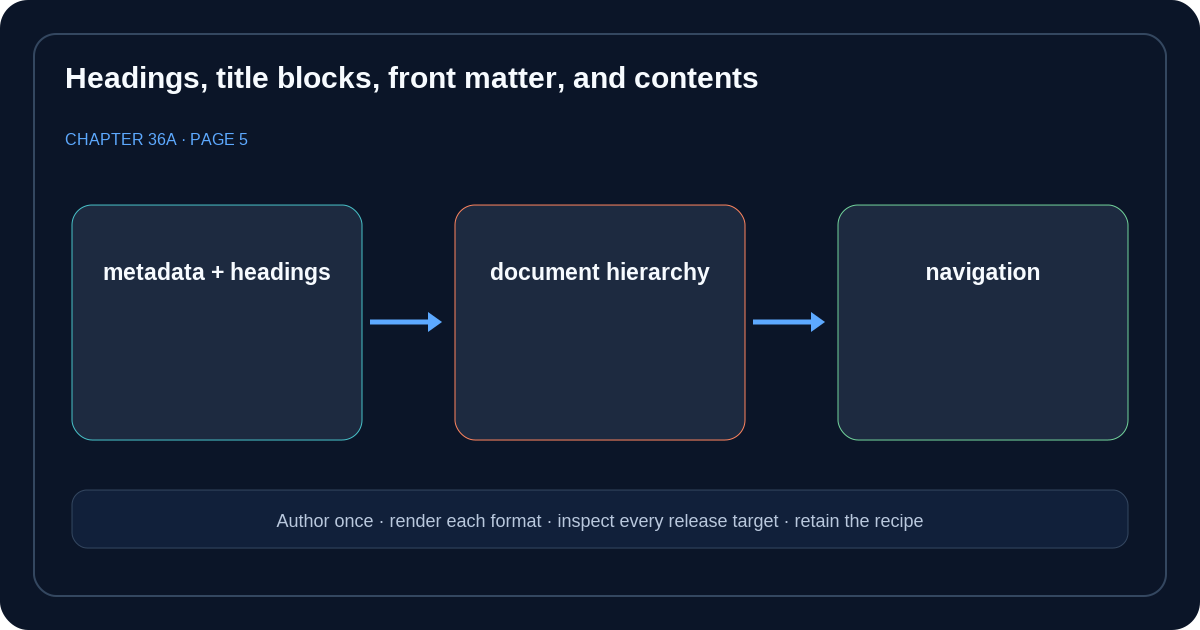
nlmx report publishes one Markdown source into retained Markdown, Word and PDF by default, with optional HTML. The command solves document generation; it does not validate the scientific analysis or approve its interpretation. Treat the source Markdown and .report file as the controlled recipe, and treat every released format as a separate review target.
Heading hierarchy
Markdown headings # through ###### become semantic Word styles, PDF outline/bookmarks and HTML heading elements with identifiers. Use one logical level-1 title and descend one level at a time. Do not choose heading levels for size alone; consistent hierarchy drives navigation and accessibility.
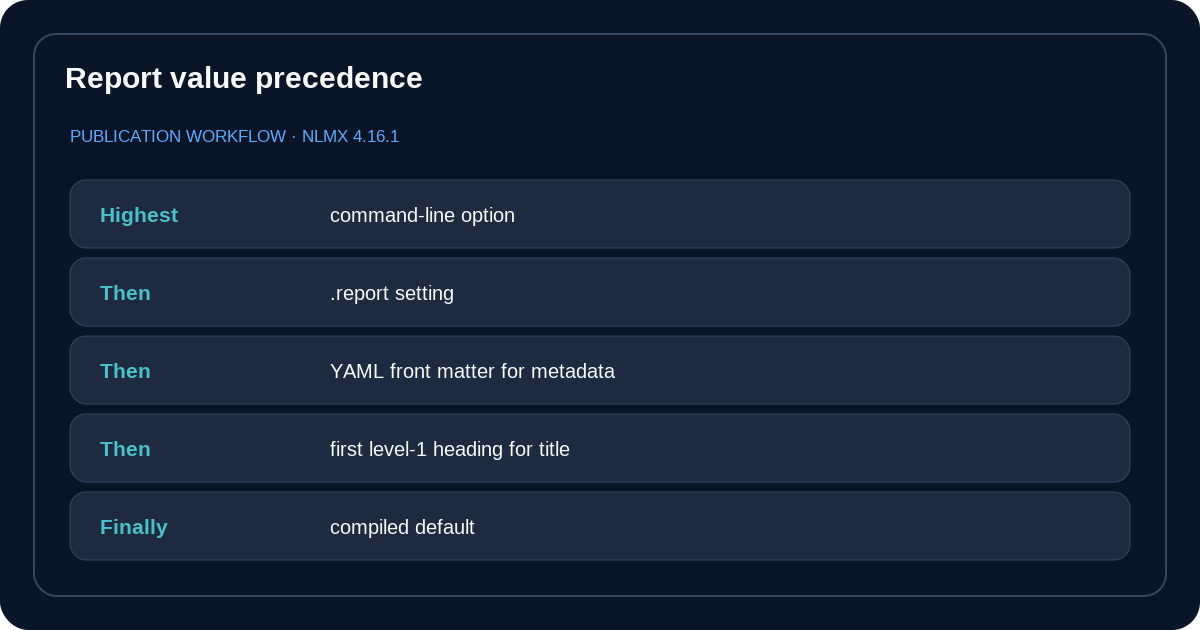
Title metadata can come from CLI, .report, YAML front matter, or the first level-1 heading. CLI wins, then settings, then front matter; the first matching level-1 heading can supply the title when none is otherwise given. If the first heading equals the chosen title, it is replaced by the title block rather than duplicated.
YAML front matter is a top block delimited by --- and can define title, subtitle, author and date. Keep it simple and at the beginning. --toc creates a contents section after the title block; --toc-depth includes heading levels 1-6 up to the chosen depth. PDF gets page numbers, HTML gets navigation links, and Word gets a field whose page numbers may require update in Word.
Review the outline before writing prose. If headings alone do not explain the argument, the document will be hard to navigate in all four formats.
Outline validation
Generate a TOC early and inspect it as a compact model of the report. Duplicate titles, skipped levels and headings such as “Other” or “Miscellaneous” are warning signs. Keep the on-page title separate from section numbering. When YAML front matter and .report both define metadata, inspect the rendered title block to confirm precedence. In Word, update the TOC field before final visual review. In PDF, click several bookmarks/TOC entries and compare page numbers. In HTML, test keyboard navigation and link targets. A correct outline is both a readability and accessibility control.
Practical review questions
- Does the released content answer the stated question without exceeding the evidence?
- Can every number, table, figure and decision be traced to a retained native file and run?
- Were all generated targets—not merely the source—inspected after the latest change?
- Are warnings, failed runs, limitations and unverified steps visible rather than silently omitted?
- Could another qualified analyst rebuild the same document from the retained recipe?
Navigation
See the previous page, next page, and complete report reference.