13.26 Output files, report, and provenance
The EDA output directory is a reproducible evidence bundle. Preserve the complete bundle rather than copying selected figures into a presentation and discarding the settings that created them.
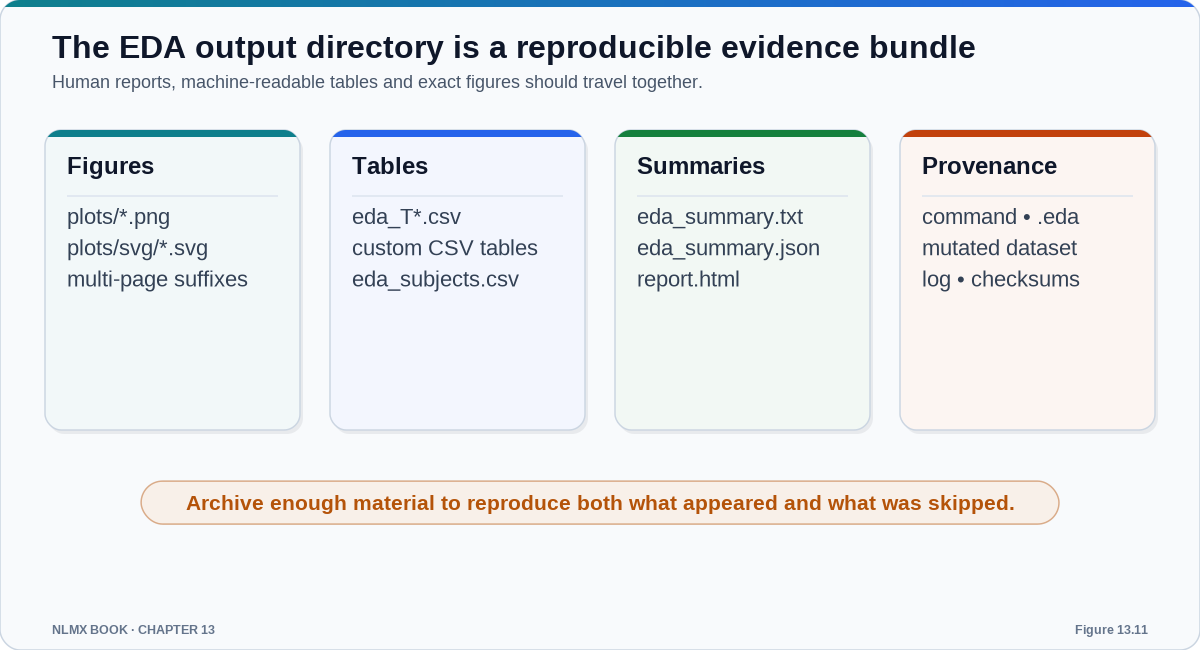
Files
| Output | Purpose |
|---|---|
plots/<name>.png |
Standalone raster figure; multipage plots add _01, _02, etc. |
plots/svg/<name>.svg |
Vector figure when SVG/both is enabled. |
eda_T*.csv |
Selected standard tables. |
eda_<custom>.csv |
Custom tables. |
eda_subjects.csv |
Derived one-row-per-individual dataset. |
<stem>_mutated.<ext> |
Separate transformed dataset when mutation runs. |
eda_summary.txt |
Counts, generated plots/tables, skips/reasons, file list. |
eda_summary.json |
Dataset info, columns, resolved settings, outputs, skips, elapsed time. |
report.html |
Collapsible web report with tables and interactive/web figures. |
checksums.sha256, log_*.txt |
Integrity and execution transcript. |
[output].html_pages limits pages displayed in the HTML report, not standalone pages under plots/. Do not infer that unshown report pages were never generated.
Provenance contract
Archive the original dataset, mutated dataset if any, .eda file, command, executable version, full output directory, and review dispositions. The JSON is better for automation than HTML, but its schema is versioned behavior—validate fields and pin nlmx. Checksums prove unchanged bytes, not scientific correctness.
After copying a bundle, verify checksums.sha256 and open representative CSV, PNG, SVG, JSON, and HTML files. This detects truncation, character-encoding changes, and viewer-specific rendering problems. If a consumer needs only selected outputs, retain the complete authoritative archive elsewhere and document the extraction.
Common mistakes
- Archiving only report.html or selected PNGs.
- Parsing HTML instead of CSV/JSON.
- Ignoring skipped analyses in the summary.
- Treating checksums as scientific validation.
Checklist
- Preserve all files and exact inputs/settings.
- Verify checksums after transfer.
- Record skipped plots/tables and reasons.
- Validate machine parsers against the installed version.
- Keep review decisions with the bundle.
Further reading
See the txtworked summary, jsonworked JSON, and Chapter 10 output contracts.