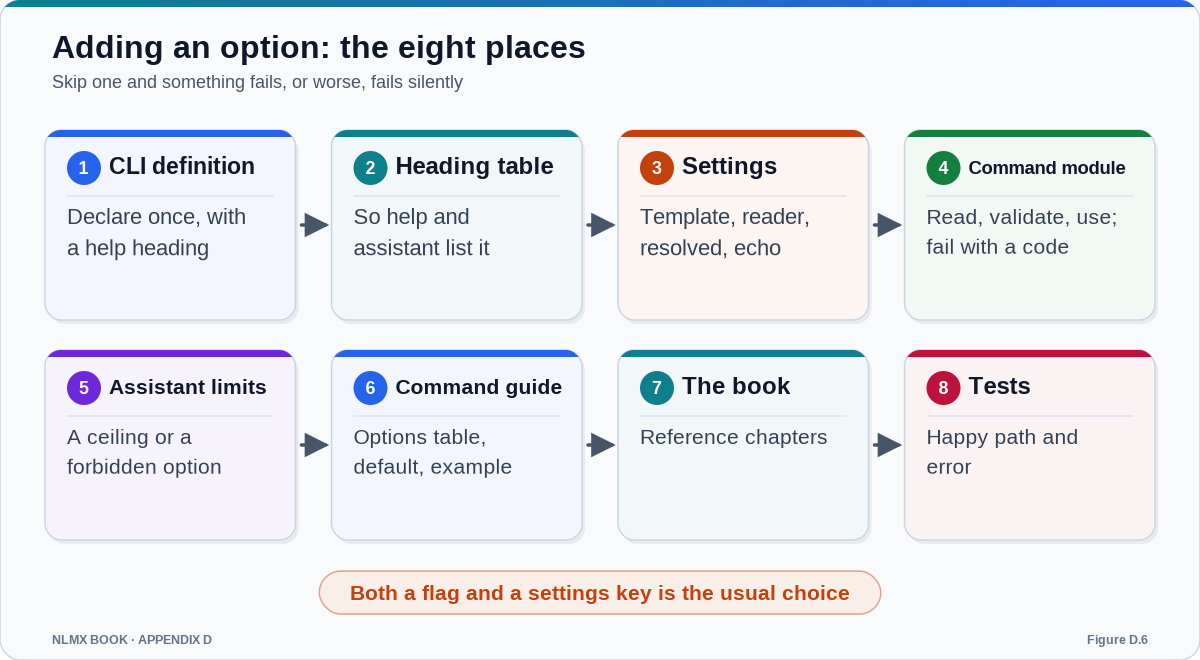
D.6 Adding an option: the eight places it must appear
What you will learn
- List every place a new option must be declared, read, documented and tested.
- Choose between a command-line option, a settings key, or both.
- Write the error test for an option as carefully as the happy-path test.
Prerequisites: D.4 and Chapter 36, the command-line reference.
An option is the smallest change a maintainer makes, and the one most often left half done. A user who types --something meets the program at several points: the help text, the parser, the settings file, the output, the assistant, the book. If any is missing, the option exists for some users and not for others.
The eight places
| # | Place | What to do | What fails if you skip it |
|---|---|---|---|
| 1 | The command-line definition | declare the option once: its long name, the value name, a one-sentence help, a help heading | the option does not parse |
| 2 | The heading table | if the heading is new, add it to the table that lists which headings belong to which command | nlmx COMMAND --help omits the option, and the assistant never learns it exists |
| 3 | The settings definition | add the matching key to the template, the reader (with its strict section structure), the resolved settings and the echo (page D.4) | a run cannot be repeated from its folder; a settings file cannot express the option |
| 4 | The command module | read the resolved value, validate it, use it; every invalid value is a failure with a code and a hint (page D.3) | the option is accepted and ignored |
| 5 | The assistant's limits | if a value can be large or dangerous, consider a ceiling among the assistant's maximum values, or the list of forbidden options | the assistant can request an unbounded value |
| 6 | The guide of the command | add the option to the options table, with its default and one example | the documentation is wrong, and a test or a reviewer will say so |
| 7 | The book's reference | add it to the command-line reference and, if it is a settings key, to the keys chapter | users find it in the program and not in the manual |
| 8 | Tests | one test of the happy path, one of the error | the next change breaks it unnoticed |
Command line, settings key, or both?
| Use | When |
|---|---|
| Both (the usual choice) | a setting that belongs in a study's record: the settings file keeps it, the command line overrides it for one run |
| Command line only | something about this invocation, not the study: --overwrite, --no-color, --threads, --output |
| Settings key only | a structured value that does not fit a flag: a list of tables, a plot specification |
Command-line-only options do not appear in the echo of the run's settings (the echo is about the study), but they do appear in the command line recorded at the top of the summary, which is how a run is reconstructed.
The one-sentence help matters more than it seems
The first sentence of an option's help is what the assistant's catalog shows when a user asks "what does this command accept?", and the options appear in the help under their heading. It should state what the option does and its default, and no more. The command's full description belongs in the guide.
A worked change
Illustration, not a feature of the program. A reviewer asks qc-data to be able to write only the first N findings to the summary. The change would be:
--max-findings Nwith the headingQC, help "Write at most N findings to the summary (default: all)".- The heading
QCalready belongs toqc-data, so the heading table needs no change. [output] max_findingsin the template (commented, with the default), the reader, the resolved value and the echo.- In the command: a value of 0 or a negative one is a usage failure (exit code 2) whose hint says "use a positive number, or omit the option"; the cut applies to the summary and not to
qc_findings.csv, which always holds every finding. That choice is written in the guide, since a user could assume the opposite. - A ceiling is unnecessary: the option only shortens output.
- The guide's options table gains a row; the book's reference gains the same row.
- Two tests: a run with
--max-findings 3has three findings in the summary and all of them inqc_findings.csv; a run with--max-findings 0fails with exit code 2 and the hint.
Notice that the design decision of step 4 (what the option does not touch) is the part a test and a sentence of documentation must pin down.
Common mistakes
- A default that changes silently. Changing the default of an existing option is a MINOR change at least, and a behaviour change that the changelog must name plainly (page D.13).
- An option that works only from the command line, so a study's settings file cannot reproduce the run.
- An error test that asserts "the run failed" and not the exit code and the message.
- A heading used by two commands that do not share the option, which makes the help of one command list an option it ignores.
Review checklist
- Does the option appear in all eight places?
- Is the help one sentence, with the default?
- Do the happy-path test and the error test both exist, and does the error test assert the code?
- If a default changed, is it named in the changelog?
Navigation
See the previous page, the next page and the developer reference.