43.12 Models II: covariates, predictive checks and effects
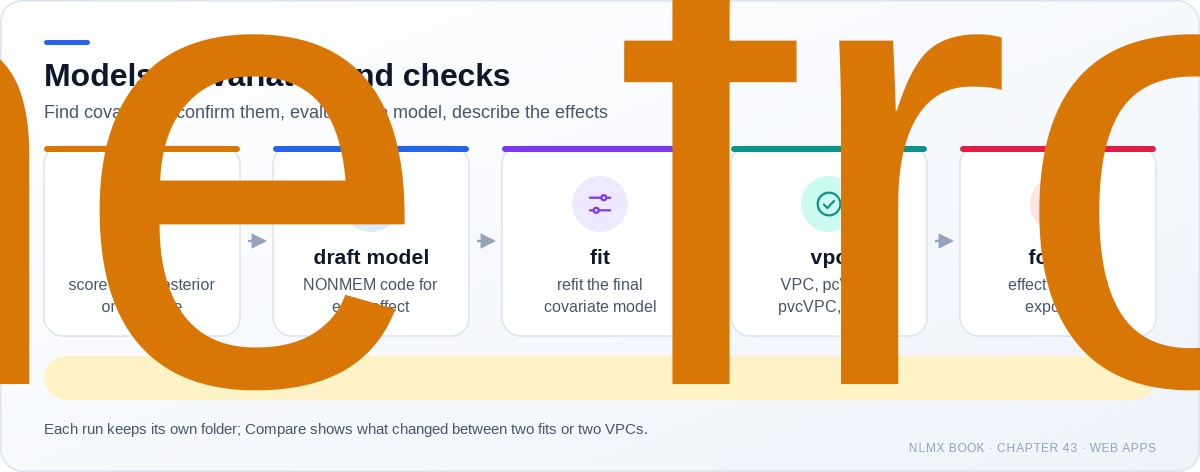
What you will learn
- How the covariate search works without re-running NONMEM.
- What the VPC and forest steps show.
- How the Overview and Compare make model review quick.
Covariates without a re-run
cov tests the covariates you list on each parameter using the fitted base model's own files. It offers two engines, which can run alone or side by side, and a stepwise method:
- a frozen-model score-test engine, which tests candidate effects on the frozen base model;
- a posterior stability-selection engine, which resamples the posterior and reports how often each relationship is retained;
- stepwise covariate modelling on refits (
--method scm: forward, backward or both, with the p to enter and the p to stay).
Selection includes multiplicity control. No NONMEM re-run is needed for the frozen and posterior engines, which is a large part of why the covariate search is fast; stepwise modelling refits the model at each step.
Inputs: the control stream, the dataset, and the .ext (with .cov and .phi) of the base model. Outputs: equations.csv, candidate_results.csv, draft_model.ctl and draft_covariate_block.txt.
The covariate Overview
The Overview of a cov run reads the files nlmx wrote and shows:
- the method, the base estimation method, subjects, records, and the covariates and parameters tested;
- the relationships and equations tried, and how many were retained by each engine and by both;
- the selection rules and, where the final model was refitted, its OFV against the base model's;
- Covariates retained: for each, the equation, the estimate, the forward step, the adjusted p, ΔOFV, the selection probability and the agreement between engines;
- Final model: the final equations, the THETA each retained effect adds with its reference value and the NONMEM code, and the parameters of the final model;
- for stepwise runs, a Stepwise path panel with the OFV after each step, every refit test, and which terms were kept, removed or never entered.
Then Next step: Fit the final covariate model with draft_model.ctl. Always confirm retained covariates with a full-model fit.
vpc: does the model reproduce the data?
vpc performs VPC, pcVPC, pvcVPC or NPC with stratification, binning, LLOQ handling and parameter uncertainty. It needs the control stream, the dataset, and the .ext (and .cov). It writes the bins and summary tables and the plots. Because there is no compile step, even simulation-heavy checks start quickly.
forest: how large are the effects?
forest draws the covariate-effect forest plot, the between-subject variability and the steady-state exposure, from the control stream, dataset and .ext, .cov and .phi. It answers a dosing question directly: is a covariate effect on exposure large compared with the variability, and does it justify a different dose?
Compare two fits
Pick two runs and press Compare for the changes that matter in a model review:
- Key figures: every number of each run's summary with B − A and the percentage difference, with a filter for rows that differ.
- Tables: join on a key and see A, B, B − A and the percentage for the numeric columns you tick.
- Figures: the same plot from both runs side by side, as a fade or as a difference image that is black where they agree.
- Text: line-by-line control-stream and settings comparison.
- Downloads: a one-page
comparison_report.htmlor a zip with the report, key figures, difference tables, side-by-side pictures and text differences.
A typical modelling session
autoinitfor starting values;screenfor the structure.fitthe recommended model and read the goodness-of-fit plots.covwith the covariates and parameters you consider plausible; read the retained list and the agreement between engines.fitthe final covariate model with Next step, and Compare it with the base fit.vpcfor the evaluation;forestfor the story you tell about covariates.- Tag the base, candidate and final runs, and report.
Each step is a run in a folder; every comparison and tag is evidence in the project.
Why this is the strongest place to model
The combination matters: the file formats of NONMEM, no compile step, covariate search without re-running, comparison designed for model review, results that are bit-identical for any thread count, and a form for every option with the exact command beside it. Few tools put estimation, covariate search and checks in one place where each step starts from the files of the last.
Navigation
See the previous page, next page, and the chapter overview.