36A.20 Complete report settings reference and precedence
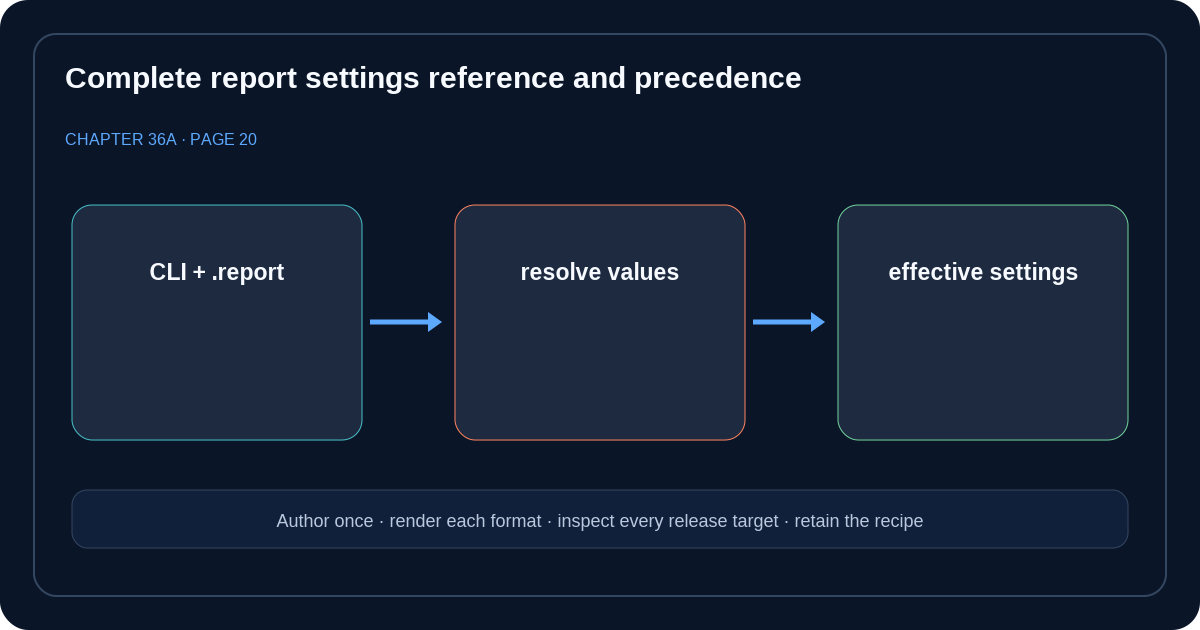
nlmx report publishes one Markdown source into retained Markdown, Word and PDF by default, with optional HTML. The command solves document generation; it does not validate the scientific analysis or approve its interpretation. Treat the source Markdown and .report file as the controlled recipe, and treat every released format as a separate review target.
Five settings tables
[input] chooses file or inline markdown. [output] controls directory, base name and DOCX/PDF/HTML booleans; Markdown is mandatory and md=false is rejected. [document] holds title, subtitle, author, date and language. [layout] holds page size, orientation, margin, body size, TOC/depth and page numbers. [html] holds CSS and image embedding.
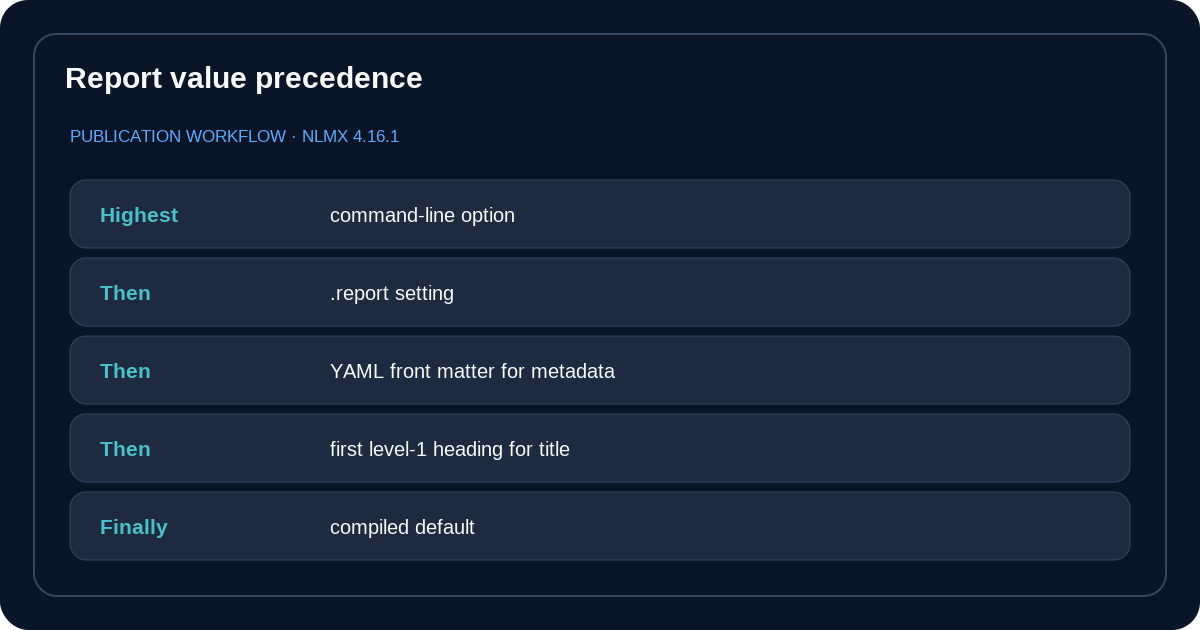
Unknown tables/keys are rejected. Every key is optional. CLI values win over the file, then front matter supplies unset metadata, then defaults apply. Relative settings paths use the settings folder. In 4.16.2, the report output directory is also resolved through that settings base when a config is active—even when supplied as a relative CLI -o; use an absolute -o when launching the same config from another tree. The executed chapter run caught and documents this behavior.
Generate the annotated reference with nlmx report --print-config study.report; do not copy an old template blindly. The complete generated template follows below.
Settings review example
Generate a fresh template from the installed binary, create a minimal file containing only intentional choices, and validate it in a non-production output. Review one table at a time. [input]: one source. [output]: mandatory Markdown plus desired formats/name/directory. [document]: controlled identity. [layout]: target-specific geometry/navigation. [html]: CSS/image packaging. Compare command-line overrides and rendered metadata. Test moving the settings/source together to ensure relative paths remain valid. Preserve the generated template separately if it is used as version evidence.
Annotated 4.16.2 template
# nlmx report settings (TOML). Every key is optional; a value given on the
# command line wins over this file. Relative paths are read from this file's folder.
#
#   nlmx report notes.md -c study.report
#   nlmx report -c study.report

[input]
# file = "notes.md"        # the Markdown document; "-" reads standard input
# markdown = "# Hello"     # or the Markdown text itself (--markdown)

[output]
# dir  = "out"             # output folder (--output); default <input folder>/<input name>_report
# name = "study_report"    # base file name, no extension (--file-name); default the input name
# The Markdown document is always written. The others can be switched off:
docx = true                # Word document (.docx)            (--no-docx turns it off)
pdf  = true                # PDF document (.pdf)              (--no-pdf turns it off)
html = false               # HTML document (.html), off by default (--html turns it on)

[document]
# Title block put above the content. When a title is given here (or with --title) and the
# Markdown does not start with the same heading, "# title" is added to every output.
# A YAML front matter block at the top of the Markdown (title:, author:, date:) is used
# for what is not set here.
# title    = "Population PK analysis report"
# subtitle = "Study ABC-101"
# author   = "A. Modeller"
# date     = "today"       # text as it should appear; "today" writes the current date
# lang     = "en"          # language code of the Word and HTML documents

[layout]
# For the Word and PDF documents.
page_size    = "a4"        # a3 | a4 | a5 | letter | legal
landscape    = false
margin_mm    = 25.0        # 5 to 60
font_size    = 11.0        # body text, points (6 to 24)
toc          = false       # table of contents after the title block (--toc)
toc_depth    = 3           # heading levels in the table of contents (1 to 6)
page_numbers = true        # "Page n of N" in the footer (--no-page-numbers)

[html]
# css = "extra.css"        # a style sheet added to the HTML document (--css)
embed_images = true        # put local images into the HTML file (otherwise they are copied beside it)
Practical review questions
- Does the released content answer the stated question without exceeding the evidence?
- Can every number, table, figure and decision be traced to a retained native file and run?
- Were all generated targets—not merely the source—inspected after the latest change?
- Are warnings, failed runs, limitations and unverified steps visible rather than silently omitted?
- Could another qualified analyst rebuild the same document from the retained recipe?
Navigation
See the previous page, next page, and complete report reference.