screen command and option index
This page lists the complete screen surface before the detailed explanations. Confirm the exact spelling and defaults for your installed build with nlmx screen --help; this chapter records nlmx 4.6.0 (2026-11-03) and uses settings files so each run is inspectable.
Synopsis
nlmx screen <dataset> [data options] [candidate options] [estimation options]
            [initial-value options] [selection options] [output options]
nlmx screen -c study.screen -o results/screen --no-color
Core, input, and record interpretation
| Purpose | Options |
|---|---|
| Input/configuration | positional DATASET, --data, -c/--config, --print-config FILE |
| Output safety | -o/--output, --overwrite, --dry-run |
| Column mapping | --id-col, --time-col, --dv-col, --amt-col, --evid-col, --mdv-col, --cmt-col, --rate-col, --addl-col, --ii-col, --ss-col |
| Transform/select | --mutate, --filter, --obs-filter |
| Design | `--route auto |
| Censoring/scale | --lloq, --dv-log |
--filter tests every row, including doses; --obs-filter keeps doses and tests only observations. A BLQ flag can therefore be applied with an observation expression such as --obs-filter "BLQ == 0"; there is no separate screen-specific --blq switch in this build.
Candidate construction
| Purpose | Options and values |
|---|---|
| Compartment count | --compartments 1,2,3 |
| Input model | `--absorption auto |
| Lag candidates | `--lag no |
| Random effects | --eta CL,V,KA,... or --eta none; --keep-eta |
| Residual error | `--error combined |
| Nonlinear elimination | `--tmdd auto |
| Explicit subset | --models name1,name2,... |
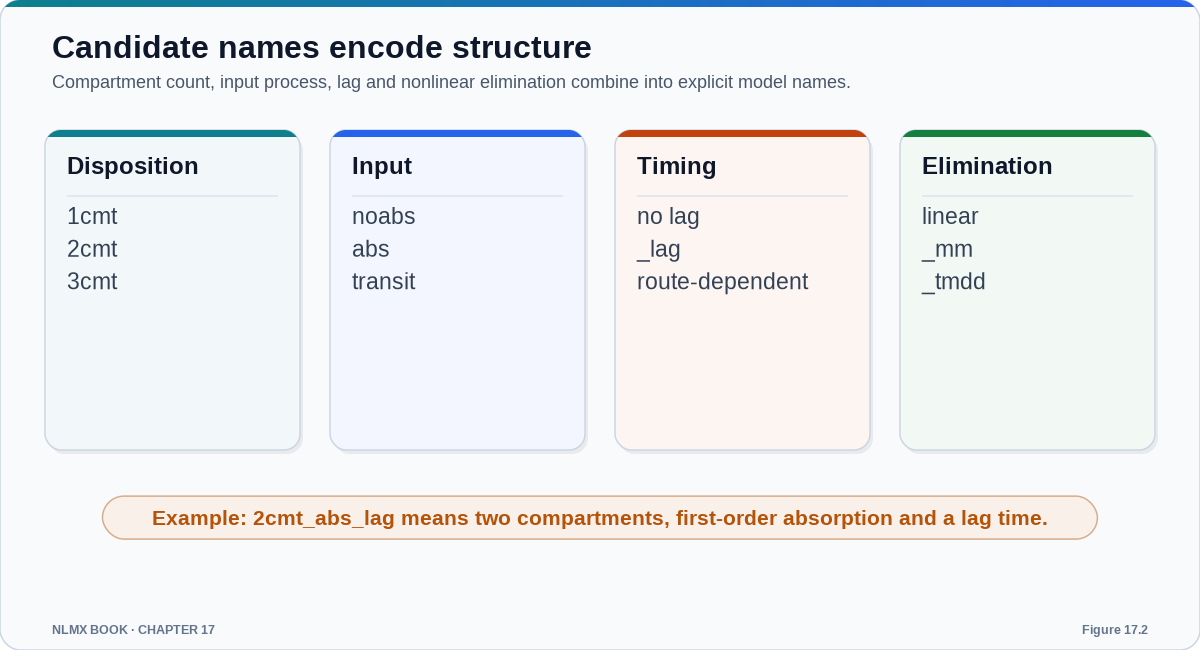
Candidate names include 1cmt_noabs, 2cmt_abs, 3cmt_abs_lag, transit variants, and _mm or _tmdd nonlinear variants. Page 5 gives the complete naming logic.
Estimation and initialization
| Purpose | Options |
|---|---|
| Approximation | `--approximation auto |
| Numerical controls | --max-iterations, --gradient-tolerance, --cov-step, --no-cov-step |
| SAEM controls | --saem-burn, --saem-iter, --saem-chains, --is-samples |
| Scheduling/randomness | --serial-models, --threads, --seed, --strict, --ridge-max |
| Explicit starts | --init NAME=VALUE,..., --init-omega NAME=VARIANCE,..., --sigma-prop, --sigma-add |
| Automatic starts | `--init-method auto |
| Unit mapping | --scale, or the pair --dose-unit and --conc-unit |
The settings equivalents live in [estimation], [initial], and [autoinit]. Prefer the printed configuration over memory when auditing a run.
Selection, plots, and output
| Purpose | Options |
|---|---|
| Criterion | `--criterion bic |
| LRT | --lrt-alpha |
| BIC | `--bic-penalty bicc |
| Reliability gates | --require-cov, --max-rse, --max-condition, --max-shrinkage |
| Plot creation | --plots, --no-svg, --no-caption, `--legend-position bottom |
| Publication plot size | --plot-width, --plot-height, `--plot-units in |
| Publication plot style | `--plot-format png |
| Logging | `--suppress-console 0 |
| Privacy/help | --keep-subject-ids, --license, -h/--help |
The shared parser displays options for other commands as well. The tables above include the options whose help text identifies screen, its shared dataset/plot layer, its estimator, or its core execution layer. Options labelled only for fit, vpc, cov, and other commands are not screen controls.
Safe first configuration
Start with an explicit route, a short model list, FOCE-I, covariance enabled, BICc, and conservative reliability limits. Inspect the prepared data and summaries before widening the candidate set. Command-line values override settings-file values; record both the file and the exact invocation.