35.12 Multi-step workflows, failures, and corrections
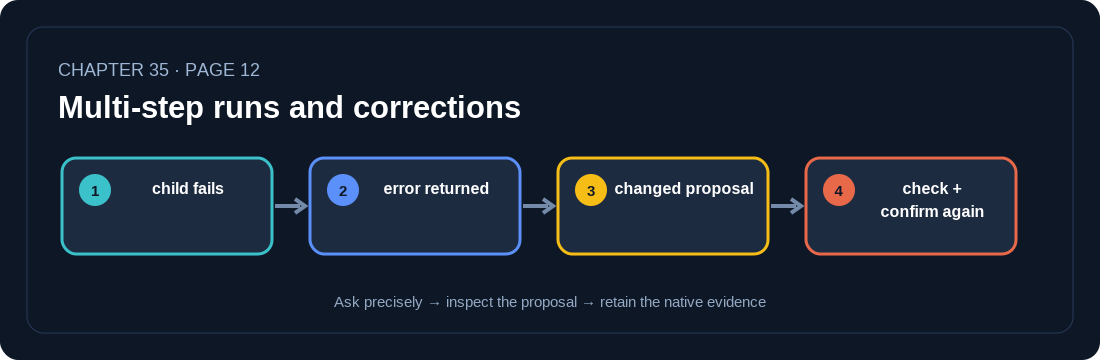
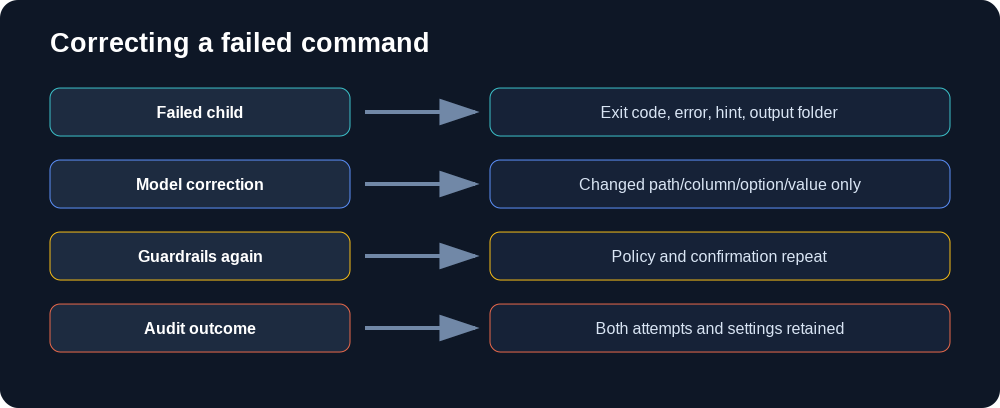
Commands run sequentially. After a normal failure, Maxson receives error lines and a hint and may propose a changed path, column, option or value. The correction is a new checked/confirmed command with its own settings/output. An unchanged failed command is blocked; timeouts/internal errors stop immediately.
How to use it
Default fix_attempts=2; success resets the count. Failure cuts off later commands in the same proposed batch. The assistant must not silently change model, covariates or data to get success—scientific redesign requires a question.
Practical interpretation
The executed correction first ran QC on a missing file and received exit 3, then proposed the existing synthetic file, generated a second settings file, and ran successfully. The native QC verdict was still NOT READY, illustrating that correction success is not scientific success.
Executed/reference evidence: Correction session.
Understanding correction loops
When a child step fails, Maxson receives a bounded result summary and may propose a changed command. The system requires a material change; repeatedly sending the same failing proposal is not progress. fix_attempts limits corrections for a failed command, while max_rounds, max_steps, step timeout, and total timeout provide independent stopping boundaries.
Classify the correction before approving it. A corrected typo or file path can preserve the intended analysis. Changing a method, population, endpoint, model, reference category, or convergence criterion changes the scientific task and needs explicit review. The preserved failed step matters because it explains why the later command differs. In the Chapter 35 evidence, a missing dataset path failed and was then corrected to a real dataset; the subsequent native QC verdict still had to be reported as not ready. Successful execution did not convert that unfavorable verdict into success.
A safe novice workflow
- Start with the narrowest backend, policy, files and command set that can answer the request.
- Name exact inputs and decisions; use guide or plan-only before granting execution.
- Inspect the normalized command and complete settings file, not only Maxson’s explanation.
- Read request end state, native command result, warnings, outputs and checksums.
- Preserve the session and record the qualified person’s interpretation and disposition.
Review and pitfalls
Review both attempts and differences. A wrong input path is mechanical; changing population or endpoint is not. Inspect end events because outer ask can exit 0 while child commands failed earlier.
- A session exit code of zero does not prove that every proposal ran or succeeded.
- Model fluency, structured JSON, and policy approval do not establish scientific validity.
- Settings and commands are reproducibility inputs; they still require versioned software and frozen data.
What to retain
Retain .ask, backend/model identity, system prompt, request, raw/normalized replies, transcript, JSONL events, settings versions, commands, child logs/outputs, checksums, exceptions, and reviewer conclusions.
Navigation
See the previous page, next page, and complete ask command and settings index.