15.33 Reference-software reproduction workflow
Matching Phoenix WinNonlin, Monolix, or another NCA implementation requires aligning decisions before comparing final values. Start with a frozen input export and a written convention matrix.
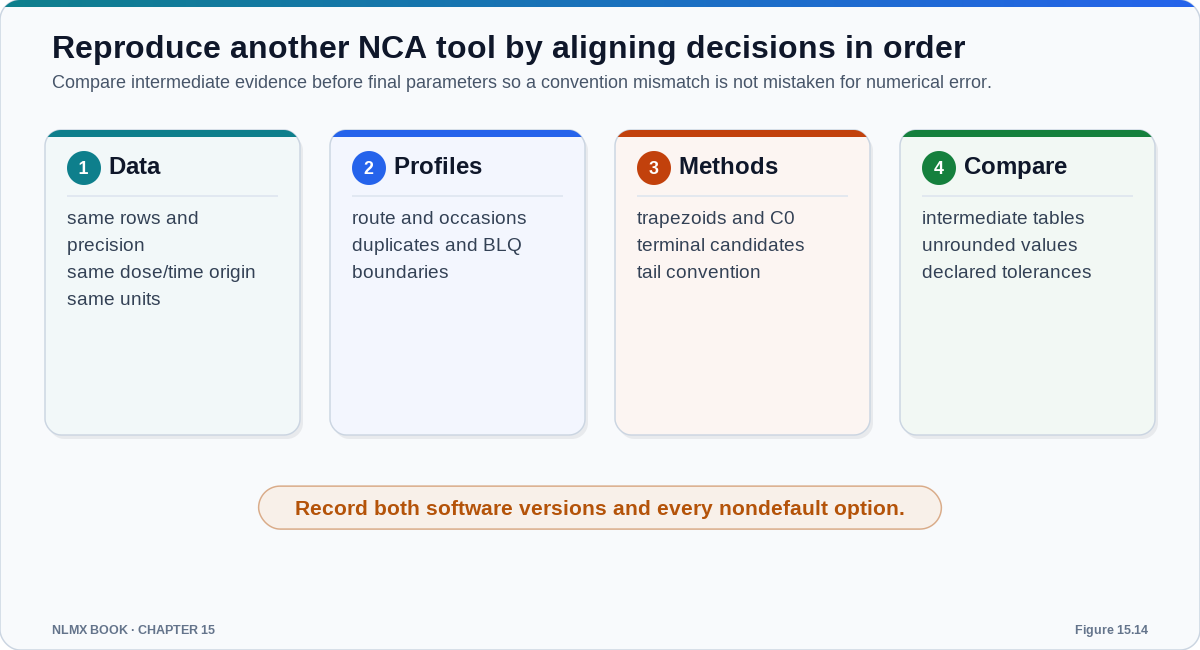
Step 1: align data and profiles
Use identical unrounded time, concentration, dose, route, and event records. Align missing/BLQ definitions, duplicate handling, subject/group/occasion construction, actual versus nominal time, tau, and next-dose boundaries. Export the processed observations from both tools when possible.
Step 2: align numerical conventions
Match linear/log trapezoid switching, C0, zero-at-dose, partial-boundary interpolation, observed versus predicted Clast, and AUMC convention. Then align terminal eligibility, Tmax inclusion, candidate point counts, weighting, adjusted-R² threshold/tie tolerance, span rule, and extrapolation action.
Step 3: compare intermediate evidence
Compare in this order:
- profile keys, times, and used concentrations;
- segment areas and cumulative AUClast/AUMClast;
- terminal candidates and selected points;
- lambda-z, Clast prediction, and tail percentages;
- clearance, volumes, MRT, and steady-state descendants;
- summaries and formatted reports.
Use unrounded exports with endpoint-specific absolute and relative tolerances. Compare categorical choices—selected points, flags, skips, and missing values—exactly. A final parameter close by cancellation can hide different algorithms.
Versioned evidence
Record nlmx version/hash, reference program version/build, all settings/screenshots or command files, input hashes, locale, platform, outputs, and disposition of every mismatch. Separate numerical accuracy from runtime measurement; speed does not compensate for a convention mismatch.
The six Chapter 15 examples provide operational fixtures, while Chapter 14 provides a closed-form fixture. Add route, BLQ, duplicate, partial-boundary, tie, and failure cases before claiming broad equivalence.
Common mistakes
- Comparing default runs without matching hidden defaults.
- Validating only final rounded tables.
- Calling a different terminal window a floating-point error.
- Generalizing a clean oral match to unsupported workflows.
Checklist
- Freeze data, versions, and settings.
- Align profiles before formulas.
- Compare intermediate tables in dependency order.
- Declare numerical and categorical tolerances.
- Scope claims to the tested matrix.
Further reading
Use Chapter 14 validation design, audit tables, and limits/validation.