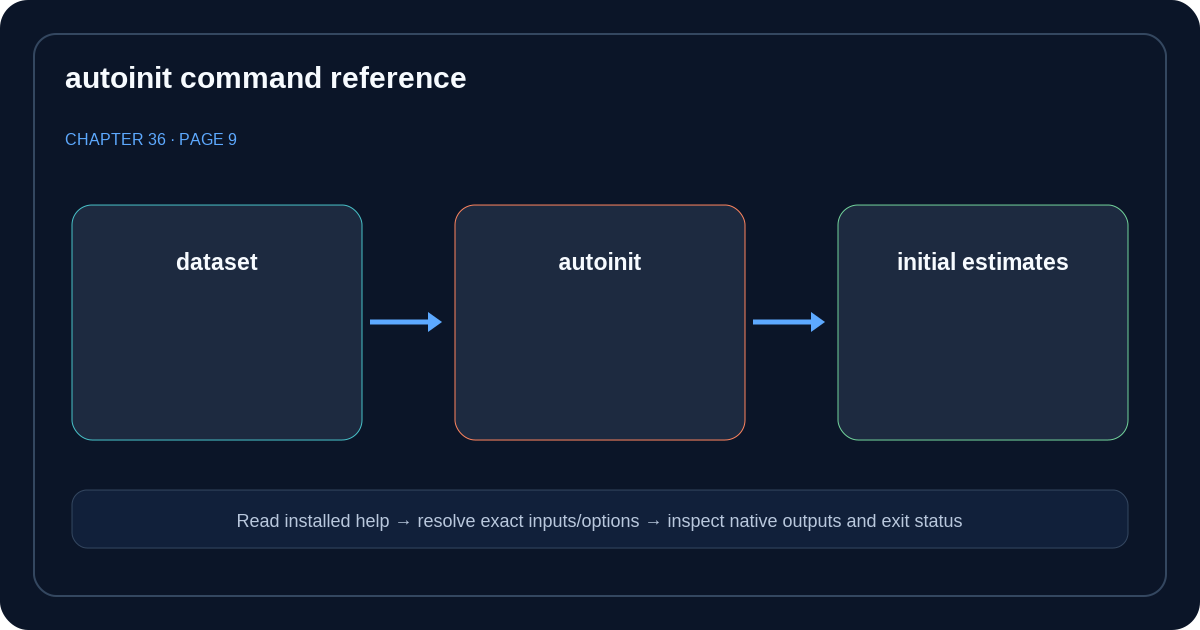
This chapter is a lookup reference for nlmx 4.16.1. Option tables are generated from the installed release executable. Read an option in the context of the command page: nlmx uses a global parser, but an accepted option can be irrelevant to a command unless its help text names that command or the command's method chapter defines the behavior.
The safe sequence is: identify the installed version, open that command's help, freeze input/settings/output paths, run into a new or empty output directory, inspect both the process status and the command-native verdict, and retain the log/resolved settings/checksums. A command line is reproducible only when its referenced files and software version are also frozen.
Synopsis
nlmx autoinit [OPTIONS] [DATASET]
Required context. A concentration-time dataset with subject, time, observation, and dosing information; column and route overrides are available.
What it does. Combines NCA, individual least-squares fitting, and simulation-trained nearest-neighbor estimates to propose structural and variability starting values.
Principal outputs. Initial-estimate tables, NONMEM $THETA/$OMEGA/$SIGMA blocks, regimen summaries, plots, HTML report, settings, log, and checksums.
Positional arguments shown by installed help
[DATASET]
          Dataset (.csv or other delimited text with a header); same as --data
Start with installed help and, when available, generate the complete settings template before entering study choices. Run into a new or empty output folder. After completion, review the command's native summary/verdict, warnings, logs, resolved settings, and checksum manifest—not only the console's final line.
Complete installed option reference
The following 64 options are parsed directly from nlmx 4.16.1 autoinit --help. The unmodified txthelp snapshot and its SHA-256 are preserved in the jsonhelp inventory. Shared descriptions sometimes mention several commands; apply only the clause naming autoinit unless its method chapter specifies otherwise.
Options
Option
Installed description
-h, --help
Print help
Method
Option
Installed description
--threads <THREADS>
Worker threads for subject- and replicate-level parallelism (default: all cores). Results do not depend on this value
Input selection
Option
Installed description
--data <DATA>
Analysis dataset (overrides $DATA); sims: simulate this dataset instead of generating one
Core
Option
Installed description
-c, --config <FILE>
Settings file of the command (TOML syntax), with the command's extension: .covar (cov, posterior, inspect, validate, fit), .qcd, .qcn, .eda, .nca, .init, .screen, .vpc, .forest, .sims, .er, .power, .gen, .ask
-o, --output <OUTPUT>
Output directory
--run-dir <RUN_DIR>
Existing run directory, for resume
--overwrite
Allow writing into a non-empty output directory
--dry-run
Run the validation pipeline instead of the full analysis
--no-checkpoint
Do not write replicate checkpoints (posterior engine)
0 (default) prints progress to the terminal; 1 silences it (the log is still written)
--log-file <LOG_FILE>
Write the transcript here instead of log_<id>.txt
--no-color
Disable ANSI colour
--license
Print the license (CC BY-ND 4.0), the third-party components, how long this version may be used and how to contact the author, and stop
-v, --verbose...
Increase verbosity (repeatable: info -> debug -> trace)
-q, --quiet
Errors only on the terminal (the log file is unaffected)
--keep-subject-ids
Do not hash subject identifiers in outputs
--format <FORMAT>
Output format for schema: txt | toml | json | json-schema [default: txt]
Fit
Option
Installed description
--retry <N>
fit: retry a failed estimation up to N times (0 to 10, default 0 = no retry). A run fails when it stops with a numerical error or does not converge. Retry 1 starts from the autoinit estimates of the dataset, each further retry from those values changed at random by up to +/-15% (--seed); the retries are written to <output>/retries/ and the first one that converges ends the loop
VPC
Option
Installed description
--filter <EXPR>
R-style condition on data columns. vpc: keep the subjects matching it (at each subject's first record), e.g. "STU > 3001" or "GROUP == 1 & WT < 70 | HT > 154". autoinit, screen: keep the rows matching it (as NONMEM IGNORE/ACCEPT, doses and observations), with text values in quotes, e.g. 'C != "XYZ"' or 'SITE %in% c("A","B")'; an empty cell is "" er: keep the rows matching it
--lloq <VALUE|COLUMN>
vpc, autoinit, screen: lower limit of quantification (vpc: a number or a data column; autoinit, screen: a number); values below it are censored / left out
--blq-flag <COLUMN>
vpc: data column flagging observed values as BLQ (non-zero), used with --lloq
--legend-position <POS>
vpc, fit, autoinit, screen: legend position on the charts: bottom (default) | top
--no-caption
vpc, fit, autoinit, screen: no grey caption (check, observations, date) under the charts
--print-config <FILE>
write the command's annotated settings template to FILE (with the command's extension, e.g. nlmx.eda, nlmx.vpc) and exit
Dataset (autoinit, screen)
Option
Installed description
--mutate <ASSIGNMENTS>
eda, er, nca: change or create dataset columns before the analysis, R-syntax assignments separated by ;, e.g. "DV = DV * 4; LNDV = log(DV); HIGH = DOSE == 100" (true is 1, false 0); runs before the filters ([data] mutate)
--id-col <COLUMN>
autoinit, screen: subject identifier column (default ID) er: subject column (default ID when present)
--time-col <COLUMN>
autoinit, screen: time column (default TIME) er: time column of a time-to-event or longitudinal endpoint
autoinit, screen: steady-state flag column (default SS)
--group <COLUMNS>
autoinit, screen: grouping columns, comma separated, for subjects sharing a dosing regimen (or study, formulation, route), e.g. REGIMEN or STUDY,FORM. One set of estimates is made from all subjects, each with its own doses; the groups give the route per group, a regimen summary and a check that their clearances agree er: dose-group (arm) column, used with
--placebo
--route <ROUTE>
autoinit, screen: administration route: auto (default: RATE > 0 = infusion; with CMT, a dose into the observed compartment = IV bolus, else oral; without CMT, the profile shape decides: rising after the dose = oral, highest at the first sample = IV) | oral | iv (bolus, or infusion when RATE > 0) | bolus | infusion | mixed (oral and IV told apart by CMT)
--dv-log
autoinit, screen: DV is the natural log of the concentration
--obs-filter <EXPR>
autoinit, screen: keep only the observation records matching an R-style condition (doses are always kept), e.g. "DVID == 1 & BLQ == 0"; --filter tests every row
Plots (vpc, fit, autoinit, screen, nca)
Option
Installed description
--log-y
vpc, fit: same as --y-scale log
--x-scale <SCALE>
vpc, fit, autoinit: x axis of the plots: linear (default) | log (semi-log; values ≤ 0 are not drawn)
--y-scale <SCALE>
vpc, fit, autoinit: y axis of the plots: linear (default) | log (semi-log; fit: the DV plots only)
--plots
vpc, fit, autoinit, screen: also write publication plots to <output>/plots (PNG, theme_classic style)
--plot-width <W>
plots: figure width in --plot-units (default 7 in)
--plot-height <H>
plots: figure height in --plot-units (default 5 in)
--plot-units <UNITS>
plots: units of width and height: in (default) | cm | mm | px
--plot-dpi <DPI>
plots: resolution in dots per inch (default 300)
--plot-base-size <PT>
plots: base font size in points (default 11, as ggplot2)
--plot-format <FORMAT>
plots: png (default) | svg | both
--plot-colors <LIST>
plots: colours as NAME=COLOUR pairs, e.g. median=#E41A1C,outer=#377EB8,points=grey (names: median, outer, observed, points, outside, reference)
--plot-no-title
plots: no chart title (for a figure caption)
--plot-no-legend
plots: no legend
Autoinit
Option
Installed description
--init-method <METHOD>
autoinit: method: auto (default: every method the data allow) | nca | nls | ml
--scale <EXPR>
autoinit: the scaling of the target control stream, e.g. V/1000 for S1 = V/1000 (dose mg, concentrations ng/mL), V*1000, or a divisor (1000). Volumes and clearances are reported in its units and the NONMEM blocks carry the same S line
--dose-unit <UNIT>
autoinit: dose unit (g, mg, ug, ng, pg); with --conc-unit sets the scale
--conc-unit <UNIT>
autoinit: concentration unit (mass/volume: mg/L, ug/mL, ng/mL, pg/mL, …); with --dose-unit sets the scale so that volumes are in L
--ml-samples <N>
autoinit: simulated profiles per subject and iteration for the ML method (default 2000)
--min-r2 <R2>
autoinit: minimum adjusted R² of the NCA terminal phase (default 0.80)
--max-extrap <PCT>
autoinit: largest extrapolated % of AUC for a usable NCA (default 30)
--omega-method <METHOD>
autoinit: OMEGA from individual estimates: robust (default, MAD) | variance
Screen
Option
Installed description
--absorption <MODE>
screen: absorption models: auto (default: from the route — first-order for oral and mixed data, none for IV) | both | first-order | none | transit (first-order plus transit-compartment absorption, Savic: MTT, NN)
Interpretation and common failure
Initial values are starting points, not fitted population estimates. Confirm route, units, log-DV status, observation filtering, BLQ handling, and whether groups share a defensible parameter pool.
The detailed method and examples are in the relevant book chapter. Common nonzero process classes are documented on 36.35. A process exit of zero still requires command-native scientific and numerical review.
Minimal handoff record
Record the version, exact command and working directory, input/settings hashes, selected options and defaults, output path, process exit, native verdict or convergence state, warnings/exclusions, principal results with uncertainty, checksum verification, and reviewer disposition.