35.8 Confirmations, --yes, and reviewing the exact proposal
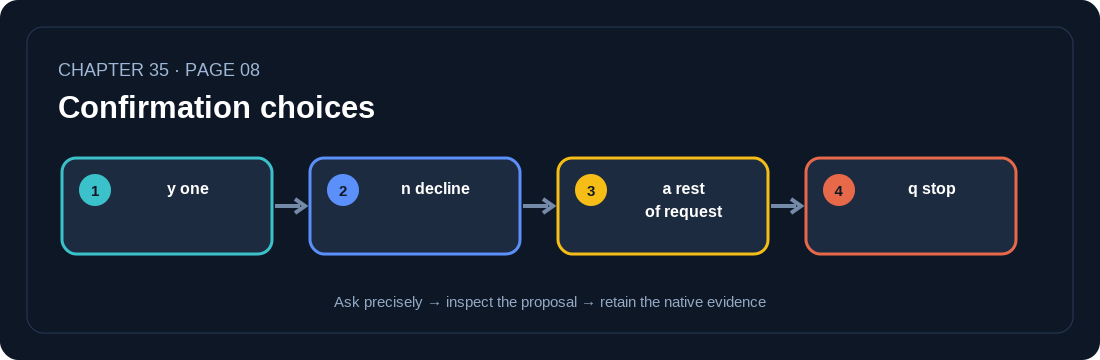
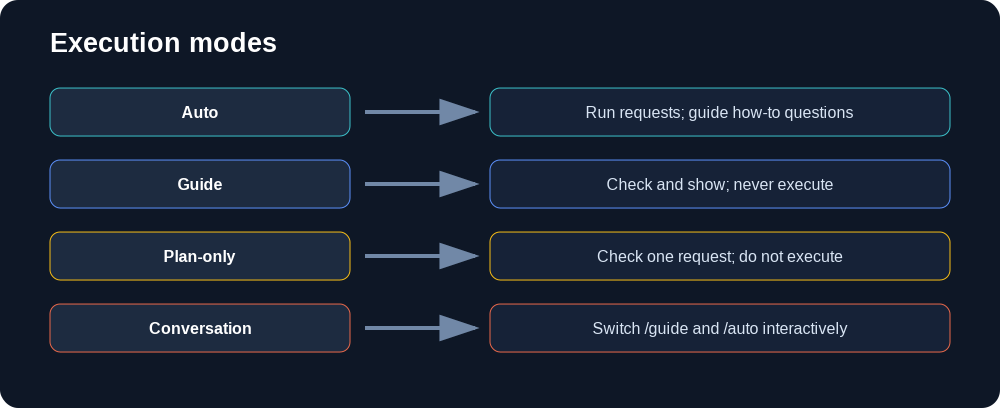
Interactive choices are y run this command, n decline it, a approve this and later commands of the current request, and q stop the request. Policy may require every command, only long commands, or none. --yes works only when allow_yes=true.
How to use it
Review the normalized command nlmx displays, not only Maxson’s sentence. Check input paths, settings path, endpoint/model/method options, seeds, replicate counts, output folder and the reason. Open newly written settings before approval when the analysis is consequential.
Practical interpretation
A decline is sent back to Maxson and recorded; it is not a command failure. “All” applies to the remaining request, not future sessions. A request may contain several commands whose scientific implications differ, so use a sparingly.
A confirmation review in plain language
Before pressing y, translate the displayed command into five questions: Which exact input will be read? Which complete settings file will control the method? Which output directory will receive evidence? Which options change the estimand, population, or computational burden? What does Maxson say this step is meant to establish? If any answer is unclear, decline and request a corrected proposal.
a is a convenience for the remaining proposals in the current request. It does not mean the later steps were already known when you approved it, so it is poorly suited to workflows with scientific branch points. --yes removes interactive review, not deterministic validation: policy can still refuse a command, and the child command can still fail. An approval should therefore be treated as authorization to attempt the exact normalized command, not a certification that its analysis or interpretation is correct.
A safe novice workflow
- Start with the narrowest backend, policy, files and command set that can answer the request.
- Name exact inputs and decisions; use guide or plan-only before granting execution.
- Inspect the normalized command and complete settings file, not only Maxson’s explanation.
- Read request end state, native command result, warnings, outputs and checksums.
- Preserve the session and record the qualified person’s interpretation and disposition.
Review and pitfalls
In controlled automation, pair --yes with a narrow allowlist, local backend, tested scripts/requests, immutable inputs and post-run audit assertions. Never present --yes as equivalent to expert approval.
- A session exit code of zero does not prove that every proposal ran or succeeded.
- Model fluency, structured JSON, and policy approval do not establish scientific validity.
- Settings and commands are reproducibility inputs; they still require versioned software and frozen data.
What to retain
Retain .ask, backend/model identity, system prompt, request, raw/normalized replies, transcript, JSONL events, settings versions, commands, child logs/outputs, checksums, exceptions, and reviewer conclusions.
Navigation
See the previous page, next page, and complete ask command and settings index.