35.3 Running with a local model server
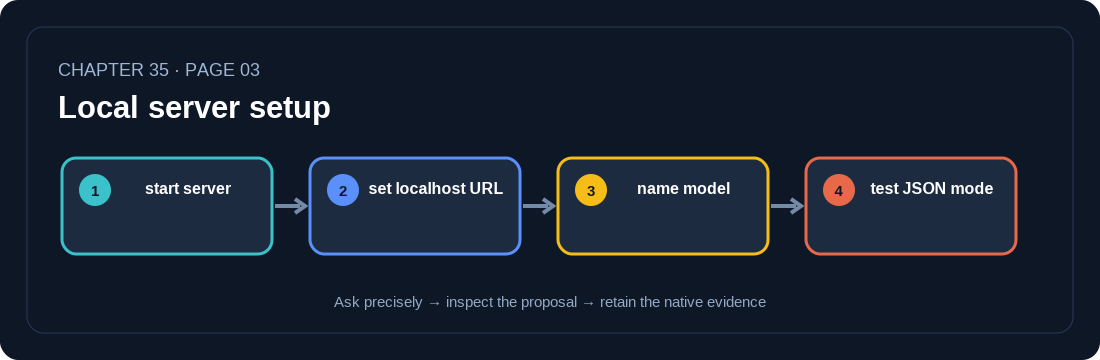
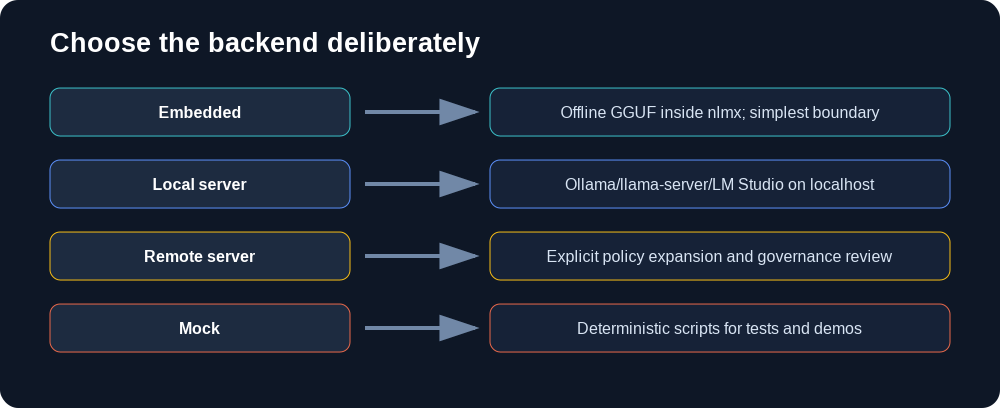
The server backend connects to an OpenAI-compatible HTTP endpoint such as llama-server, Ollama, or LM Studio. Defaults are http://127.0.0.1:8080 and server model name qwen2.5:3b-instruct; Ollama commonly uses port 11434.
How to use it
Start and verify the server first, then specify backend, URL, and name. By default policy accepts localhost/127.0.0.1 only and rejects HTTPS. json_mode=true requests a JSON response format; disable it if the server returns a 400 for unsupported response_format. Grammar is supplied only when configured and only some servers honor it.
Practical interpretation
A local server is another process with its own logs, caching, model selection, concurrency and retention. Record server software/version, launch command, model identity/hash, URL, context and generation controls. Test that a name resolves to the intended model rather than a mutable alias.
Server setup and verification
First prove the endpoint independently of Maxson: the process must be listening, the requested model name must exist, and the endpoint must implement the OpenAI-compatible chat behavior nlmx expects. Then set backend="server", the exact URL, and the exact model name. Run --print-config, followed by a guide-only request. Read both the nlmx session log and the server log so that model selection and errors can be reconciled.
The URL identifies a service, while name identifies a model exposed by that service. They are not interchangeable. A server may map a friendly tag to changing weights, so regulated or reproducible work needs a pinned model identity and server configuration. Localhost limits network exposure but does not eliminate operational risks: another user or process may share the service, logs may retain prompts, and server upgrades may change templates or sampling. A non-local endpoint must be explicitly enabled and assessed before any project information is sent.
A safe novice workflow
- Start with the narrowest backend, policy, files and command set that can answer the request.
- Name exact inputs and decisions; use guide or plan-only before granting execution.
- Inspect the normalized command and complete settings file, not only Maxson’s explanation.
- Read request end state, native command result, warnings, outputs and checksums.
- Preserve the session and record the qualified person’s interpretation and disposition.
Review and pitfalls
Setting allow_remote_server=true materially changes the privacy boundary. Do not treat remote use as routine configuration; apply endpoint, transport, authentication, data, retention, legal and incident-response review first.
- A session exit code of zero does not prove that every proposal ran or succeeded.
- Model fluency, structured JSON, and policy approval do not establish scientific validity.
- Settings and commands are reproducibility inputs; they still require versioned software and frozen data.
What to retain
Retain .ask, backend/model identity, system prompt, request, raw/normalized replies, transcript, JSONL events, settings versions, commands, child logs/outputs, checksums, exceptions, and reviewer conclusions.
Navigation
See the previous page, next page, and complete ask command and settings index.