27.22 Subject-filter syntax and semantics
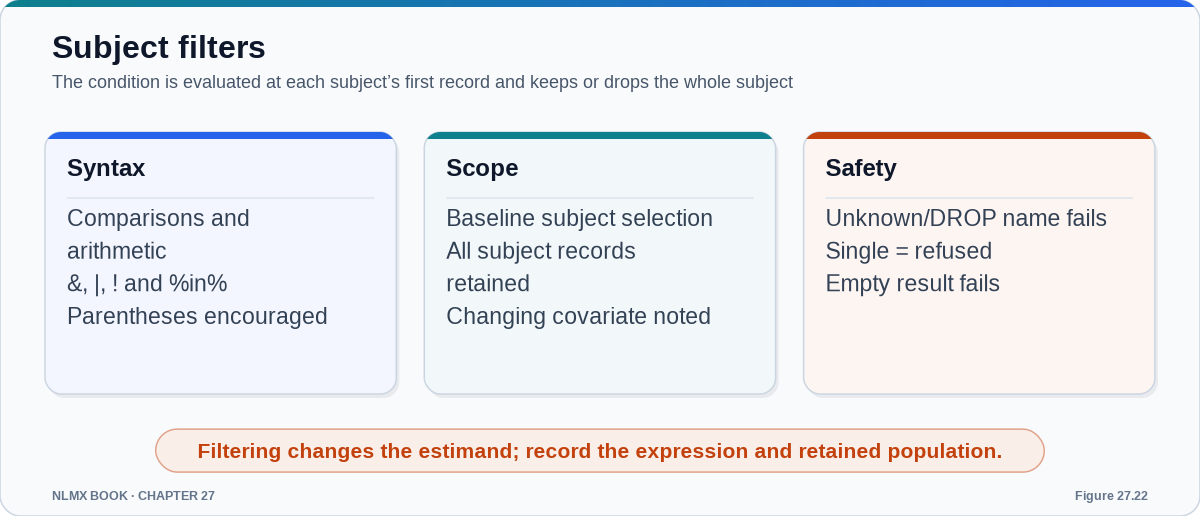
--filter evaluates an R-style expression at each subject’s first record and keeps or drops the entire subject. Comparisons, arithmetic, parentheses, &, |, !, %in%, and NONMEM dotted operators are supported. Names are case-insensitive model data items; unknown or dropped names fail.
Novice translation
This topic changes three practical decisions in a predictive-check review. First, use ==, not =; write 1 < X & X < 3 instead of a chained comparison. Second, a time-varying item is still evaluated at the first record and produces a note; use stratification for record-level separation. Third, a filter retaining no subjects is an error, and the resolved expression/population count are saved in settings and summary. Keep those decisions separate: one defines what is simulated or summarised, another controls how evidence is displayed, and the last controls what conclusion the evidence can support. A reviewer should be able to reproduce each decision from the resolved settings and numerical tables, not infer it from the appearance of the figure.
What to understand
- Use
==, not=; write1 < X & X < 3instead of a chained comparison. - A time-varying item is still evaluated at the first record and produces a note; use stratification for record-level separation.
- A filter retaining no subjects is an error, and the resolved expression/population count are saved in settings and summary.
Practical interpretation
Parenthesise mixed AND/OR conditions and state the restricted target population in every report.
Evidence to retain
For subject-filter syntax and semantics, retain the issued command, vpc_settings.vpc, the source model/data/result identifiers, seed and replicate count, the relevant CSV/JSON fields, warnings and notes, and the exact figure used for interpretation. Record any sensitivity run that changed the conclusion. If an option was selected after seeing the data, label that analysis exploratory. This evidence separates a reproducible diagnostic decision from a visual impression and lets another pharmacometrician check counts, transformations, exclusions, and uncertainty assumptions.
Common mistakes
- Filtering records instead of subjects
- Relying on ambiguous precedence
- Using text categories when VPC data items are numeric
Page checklist
- Test expression
- Review retained N
- Check time variation
- Archive exact filter
Further reading
See previous page, next page, complete VPC command and settings index.