35.6 Starting a first request and reading the greeting
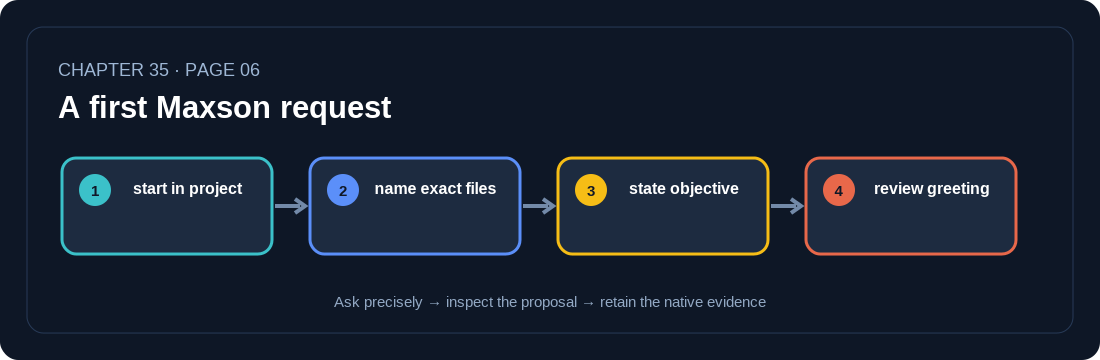
Run nlmx ask "REQUEST" from the project folder or provide -c site.ask. Without a request in a terminal, a conversation begins. Each session uses a new/empty output directory; use -o to choose it.
How to use it
The deterministic greeting reports version, backend, session folder, and discovered datasets/control streams. Dataset discovery looks in the start folder and one level below for supported text extensions, skips hidden/target/session folders, lists at most eight, and requires an ID/TIME/DV-like shape for its detailed count. Large files over 64 MB are header-only.
Practical interpretation
The greeting is orientation, not validation. A file may be omitted because its shape is not NONMEM-like yet still be explicitly usable by another command. “Possible covariates” are columns not recognized as data items, not recommended covariates. Verify exact file, rows, columns and suitability with command-native QC.
What the first screen does—and does not—tell you
The greeting is generated before the model decides what to do. It helps you notice that you started nlmx in the wrong folder, selected the wrong backend, or exposed unexpected datasets. Read the session path immediately; every later settings file, command record, result, and checksum belongs under that boundary. If the listed data do not match the intended study, stop and restart from the correct location rather than compensating with vague instructions.
Discovery is deliberately shallow and heuristic. A recognized-looking ID/TIME/DV header can be described, but that is not proof of valid event records, units, dosing history, below-quantification handling, or analysis readiness. Conversely, a useful file with a different shape may not be highlighted. The first scientific action should normally be a suitable inspection or QC command against an explicit path. Ask Maxson to state what it found and what remains unknown.
A safe novice workflow
- Start with the narrowest backend, policy, files and command set that can answer the request.
- Name exact inputs and decisions; use guide or plan-only before granting execution.
- Inspect the normalized command and complete settings file, not only Maxson’s explanation.
- Read request end state, native command result, warnings, outputs and checksums.
- Preserve the session and record the qualified person’s interpretation and disposition.
Review and pitfalls
A strong first request names the input path, analysis objective, relevant columns/options, desired deliverable, and whether to plan, guide, or execute. Avoid “analyse everything” until inputs and choices are established.
- A session exit code of zero does not prove that every proposal ran or succeeded.
- Model fluency, structured JSON, and policy approval do not establish scientific validity.
- Settings and commands are reproducibility inputs; they still require versioned software and frozen data.
What to retain
Retain .ask, backend/model identity, system prompt, request, raw/normalized replies, transcript, JSONL events, settings versions, commands, child logs/outputs, checksums, exceptions, and reviewer conclusions.
Navigation
See the previous page, next page, and complete ask command and settings index.