39.16 Troubleshooting files, paths, permissions, and partial outputs
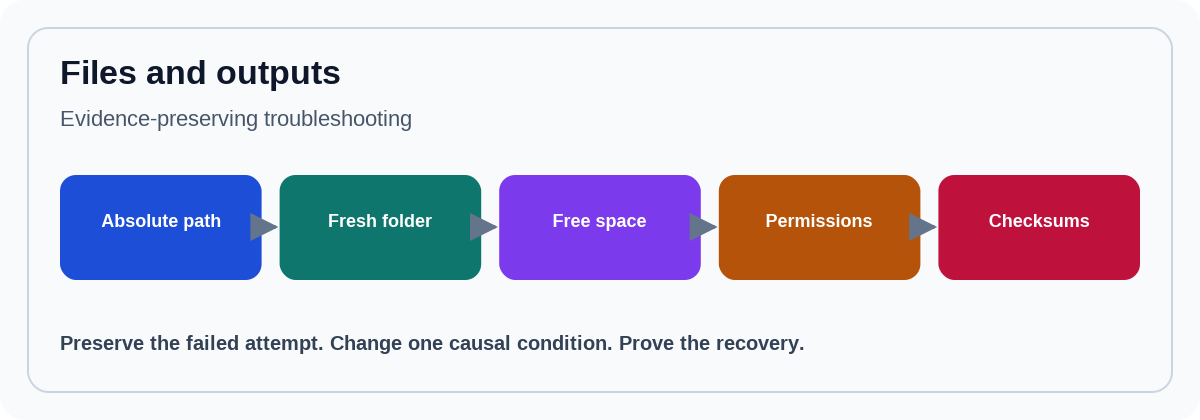
What you will learn
- Resolve path anchors explicitly
- Protect existing and partial folders
- Verify capacity, locks, and checksums
Prerequisites: Chapter 36 exit-code reference, Chapter 38 output completion, and the Chapter 39 overview.
This page describes nlmx 4.16.2. Troubleshooting must preserve the failed attempt: keep its exact command, working directory, log, resolved settings, input/model identities, partial outputs, and process exit code. Correct one causal condition at a time and compare the new evidence with the failed run. Never convert a nonzero exit into success in a wrapper, and never interpret exit 0 as scientific acceptance without the command-native verdict.
Path failures become confusing when several anchors coexist. Record absolute paths for the executable, CWD, control stream, settings file, dataset, model artifacts, and output. Then identify the documented anchor: $DATA relative to .ctl; relative settings resources often relative to the settings file or command-specific base; shell redirection relative to CWD.
On Windows, check drive mappings in the actual service/session, OneDrive or network placeholder state, Controlled Folder Access, reserved names, long paths, and another program holding a file. On all platforms check case sensitivity, symlinks, parent permissions, free space/inodes/quota, read-only mounts, and concurrent jobs. Use literal path APIs; avoid globs when diagnosing identity.
An output folder can be partial even when it contains polished tables. Establish completion from process code, final log, command-native summary, expected file inventory, and checksum manifest. Never feed partial files downstream unless the workflow explicitly defines them as failed-attempt evidence. If overwrite was used, stale optional files may remain; a fresh folder is safer.
For transfer/archive problems, verify hashes after copying, retain relative paths, and test that text encoding/line endings did not change. A checksum mismatch is not repaired by regenerating the checksum; determine which copy is authoritative.
Page checklist
- Did you retain the exact exit code, stage, message, hint, log, and partial output?
- Did you identify one causal layer before changing anything?
- Is the recovery a new, traceable attempt with the same intended estimand?
- Did you check command-native and scientific acceptance after process completion?
Navigation
See the previous page, next page, and complete error reference.