LLM Prompts and Tokens
Two files and one command exist to make the next step easy: working with an LLM. llm.txt holds ready-to-paste prompts
built from your masked dataset; tokens.txt (and the tokens command) tell you how big the dataset is for each model
family before you paste it.
1. llm.txt: a prompt pack for this dataset
Every run writes llm.txt. It is safe to share: it describes the masked file only. Its parts, in order:
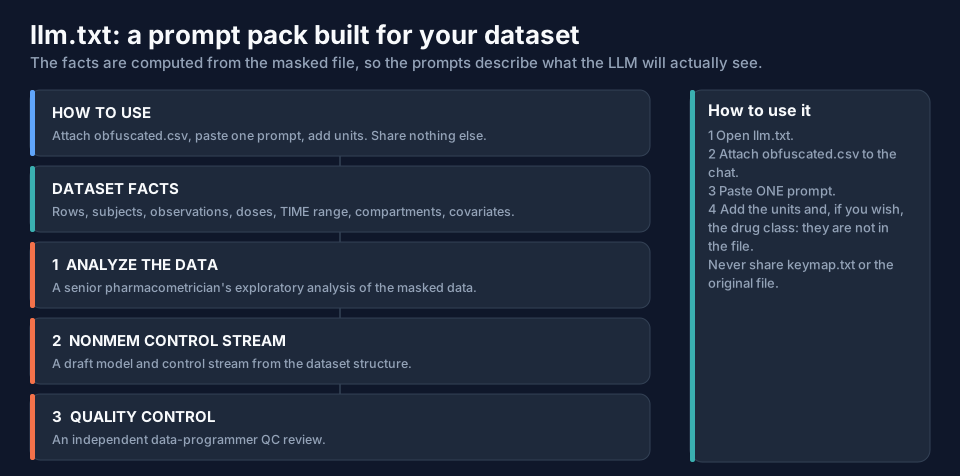
- How to use: attach
obfuscated.csvto the chat, paste one prompt, add the units (they are not in the file), and share nothing else. - Dataset facts, computed from the masked file.
- Three prompts: analyse the data, create a NONMEM control stream, perform quality control checks.
Dataset facts
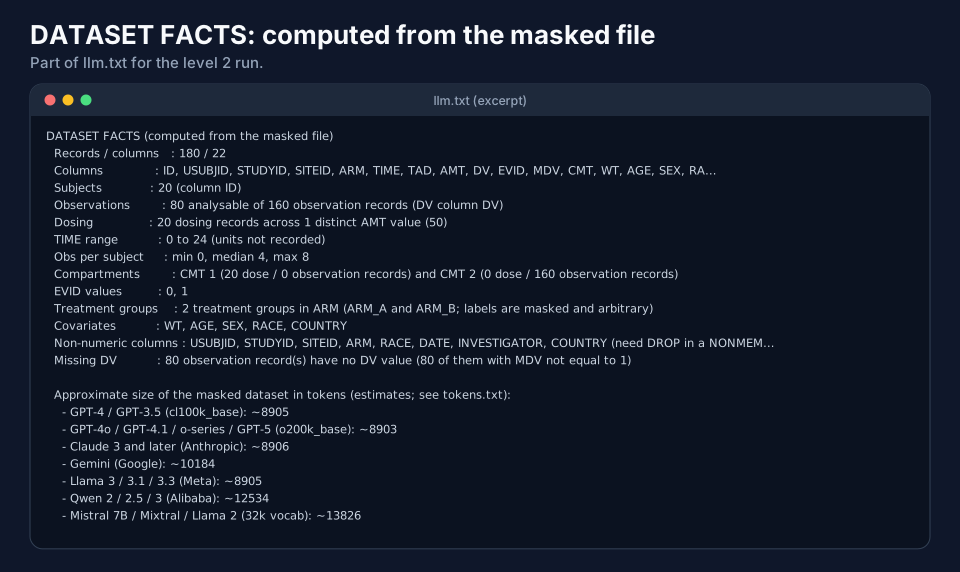
The facts are counted from the masked file, not copied from the original, so the prompts cannot say anything the LLM could not
check itself: 180 records, 20 subjects, 80 analysable observations out of 160 observation records, one dose level (50),
TIME from 0 to 24, compartments 1 (dose) and 2 (observations), covariates WT, AGE, SEX, RACE, COUNTRY. If something
looks off, check it against the file: the facts say how they were computed.
At level 3 and 4 an extra line is added:
Rescaled columns : WT, AGE (each multiplied or divided by a hidden constant; values are not physiological)
so the LLM does not flag a weight of 844 as implausible, and centres allometric scaling on the median instead of 70 kg.
The prompts
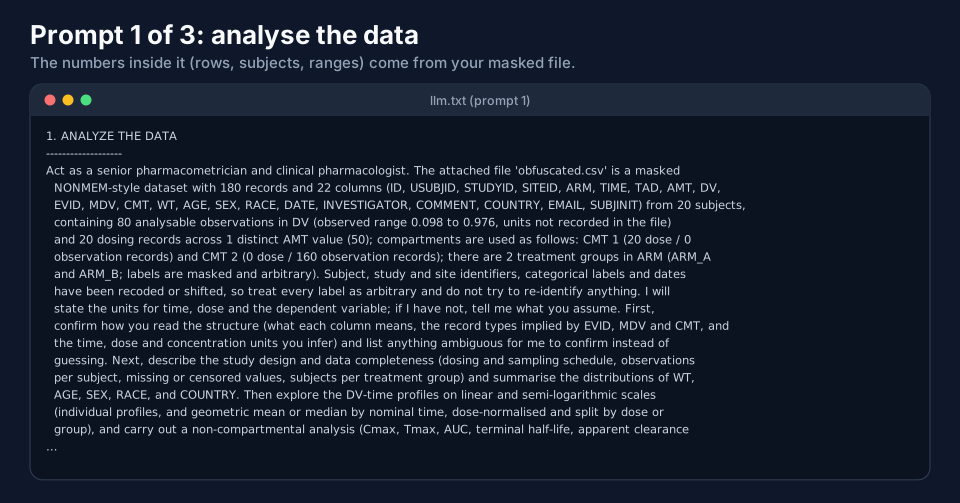
Each prompt is one paragraph. The first one, abridged:
| Prompt | What it asks the LLM to do |
|---|---|
| 1. Analyse the data | confirm how it reads the structure (columns, record types from EVID, MDV, CMT, units), describe the design and completeness, explore the DV-time profiles, carry out a non-compartmental analysis, summarise the covariates, and list what is ambiguous instead of guessing |
| 2. Create a NONMEM control stream | write a complete NONMEM 7.5 control stream for a population PK model: $INPUT in the file's exact column order (text columns marked =DROP), $DATA with IGNORE=@, the ADVAN/TRANS choice justified, log-normal variability, allometric scaling on WT, switchable covariate tests, $ESTIMATION, $COVARIANCE, $TABLE, and every assumption to confirm |
| 3. Perform quality control checks | act as an independent data programmer and run ten numbered checks (structure; uniqueness and ordering; event logic of EVID, MDV, AMT, DV; subject completeness; compartments; TAD; the dependent variable; doses; covariates; time against DATE), then return a findings table, a PASS or FAIL checklist and reproducible R or Python code |
Because the numbers inside the prompts come from your masked file (the observed DV range, the dose, the columns), a prompt
written for one dataset is not valid for another: use the llm.txt of the run you are sharing.
Practical use:
- Open
llm.txt, copy one prompt. - In the chat, attach
obfuscated.csvand paste the prompt. - Add what the file cannot say: "time in hours, DV in ng/mL, AMT in mg", and the drug class if you are comfortable disclosing it.
- Never attach
keymap.txtor the original file.
Download an example (level 2): txtexample-llm-level2.txt.
For several datasets (run2) the file is called llm2.txt and its prompts are for combining them (page Masking Several
Datasets: run2).
2. tokens.txt: will it fit?
An LLM reads tokens, not bytes. A numeric CSV is expensive: digits are split into tokens, so a 28 KB file can cost
12,000 tokens. Every run writes tokens.txt with estimates for the original file, the masked dataset and the other files
of the folder (the log is not counted).
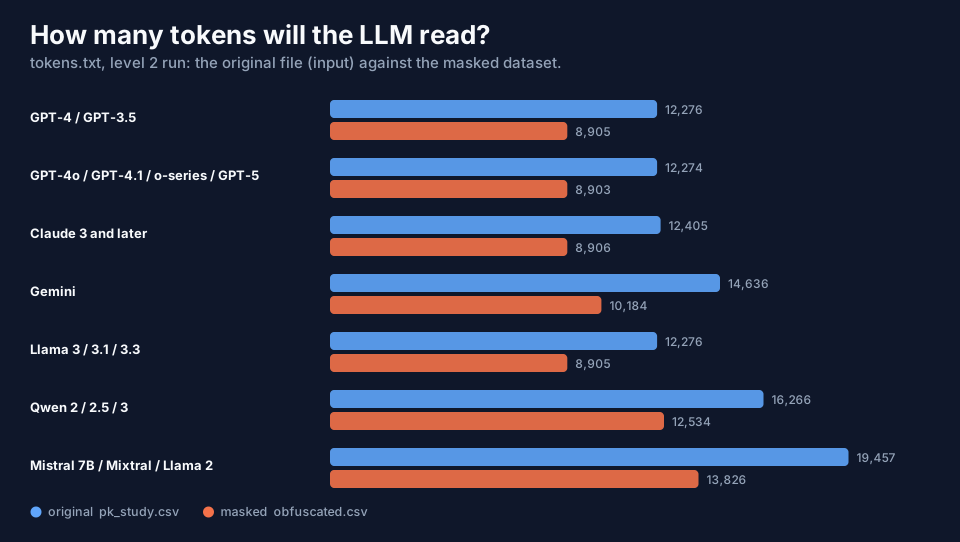
Two things stand out in the figure:
- The masked dataset (level 2) is smaller than the original (8,905 against 12,276 tokens with GPT-4's tokenizer) because
the free-text columns became
.. - The families that count one token per digit (Qwen, Mistral and Llama 2) read the same file as about 40 to 55 percent more tokens than GPT-4 or Claude do.
| Family | Digits | Note |
|---|---|---|
| GPT-4 / GPT-3.5 (cl100k_base) | groups of up to 3 | headline figure |
| GPT-4o, GPT-4.1, o-series, GPT-5 (o200k_base) | groups of up to 3 | larger vocabulary |
| Claude 3 and later | groups of up to 3 | |
| Gemini | groups of up to 3 | |
| Llama 3, 3.1, 3.3 | groups of up to 3 | |
| Qwen 2, 2.5, 3 | one token per digit | |
| Mistral 7B, Mixtral, Llama 2 | one token per digit |
These are estimates (typically within about ±10–25 %), not the vendors' own tokenizers. For an exact count use the
vendor's tool (tiktoken for OpenAI, the count_tokens endpoint for Anthropic, countTokens for Gemini).
Level 3 and 4 produce more tokens than level 2 (9,841 and 9,116 at level 3 and 4 against 8,905, GPT-4 tokenizer), because a
scaled number has more digits. If the file is too big for a model's context window, keep only the columns you need
(--keep ...) or use the project's small-context options file (examples/configs/24-purpose-llm-small-context.txt).
Download an example: txtexample-tokens-level2.txt.
3. The tokens command
tokens does the counting on its own, without masking anything:
data-obfuscator tokens --input pk_study.csv --output ./folder
It counts the tokens of --input and of every file already in --output (except the log) and writes tokens.txt
into that folder. It is useful for any file you are about to paste: a masked dataset from another tool, a control stream, a
listing.
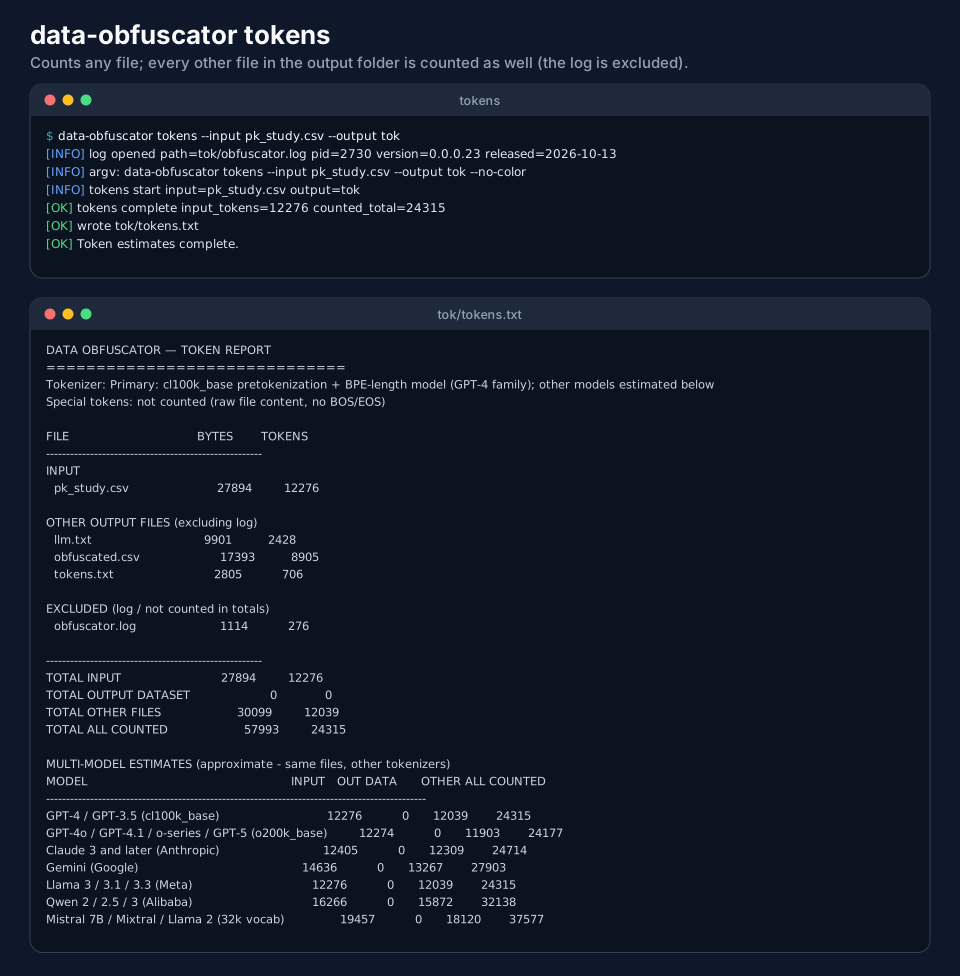
One thing to know: the standalone command does not know which of the files in the folder is the masked dataset, so it
lists them all under OTHER OUTPUT FILES and reports TOTAL OUTPUT DATASET 0. The numbers per file and per model are
right; only the grouping differs from the report that run writes.
Next
Restoring Data: reverse shows how to get the real values back.