Output Files and Keymaps
Every run writes one folder. This page opens each file in turn: what it is for, what it looks like (from a real run
on the example dataset), and whether it may be shared. The two keymap files get the most space, because they are
what makes the masking reversible, and what must never leave your computer.
1. The folder
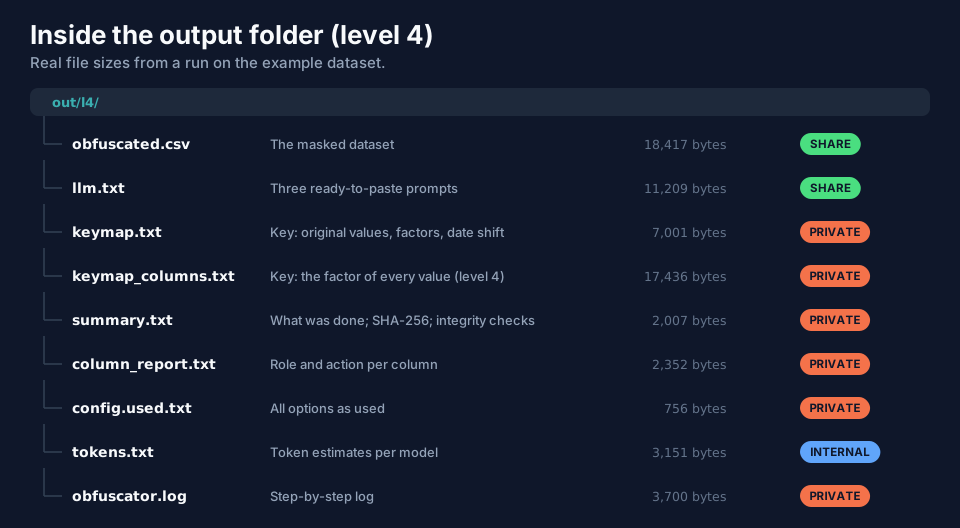
| File | Purpose | May it be shared? |
|---|---|---|
obfuscated.csv (.tsv, .dat, or --output-name) |
the masked dataset | yes |
llm.txt |
prompts tailored to this dataset | yes (paste the prompt you need) |
tokens.txt |
token estimates | harmless, but not needed outside |
column_report.txt |
role and action of every column | only if the column names are not sensitive; no if you renamed columns |
summary.txt |
what was done: level, seed, date shift, SHA-256 | no: it reveals the seed and the shift |
config.used.txt |
all options as used | no (seed, paths) |
obfuscator.log |
step-by-step trace | no (paths, the command line) |
keymap.txt |
the key | never |
keymap_columns.txt |
level 4 only: the factor of every value | never |
Rule of thumb: share only the masked dataset and llm.txt. Download one of each from the example run at level 2:
txtexample-summary-level2.txt,
txtexample-column_report-level2.txt,
txtexample-config.used-level2.txt,
txtexample-tokens-level2.txt,
txtexample-llm-level2.txt.
2. summary.txt: what this run did
The summary is one page you can read in a minute: input, output, level, seed, which columns were recoded, shifted or dropped, the date shift, the integrity checks and the SHA-256 of the result.
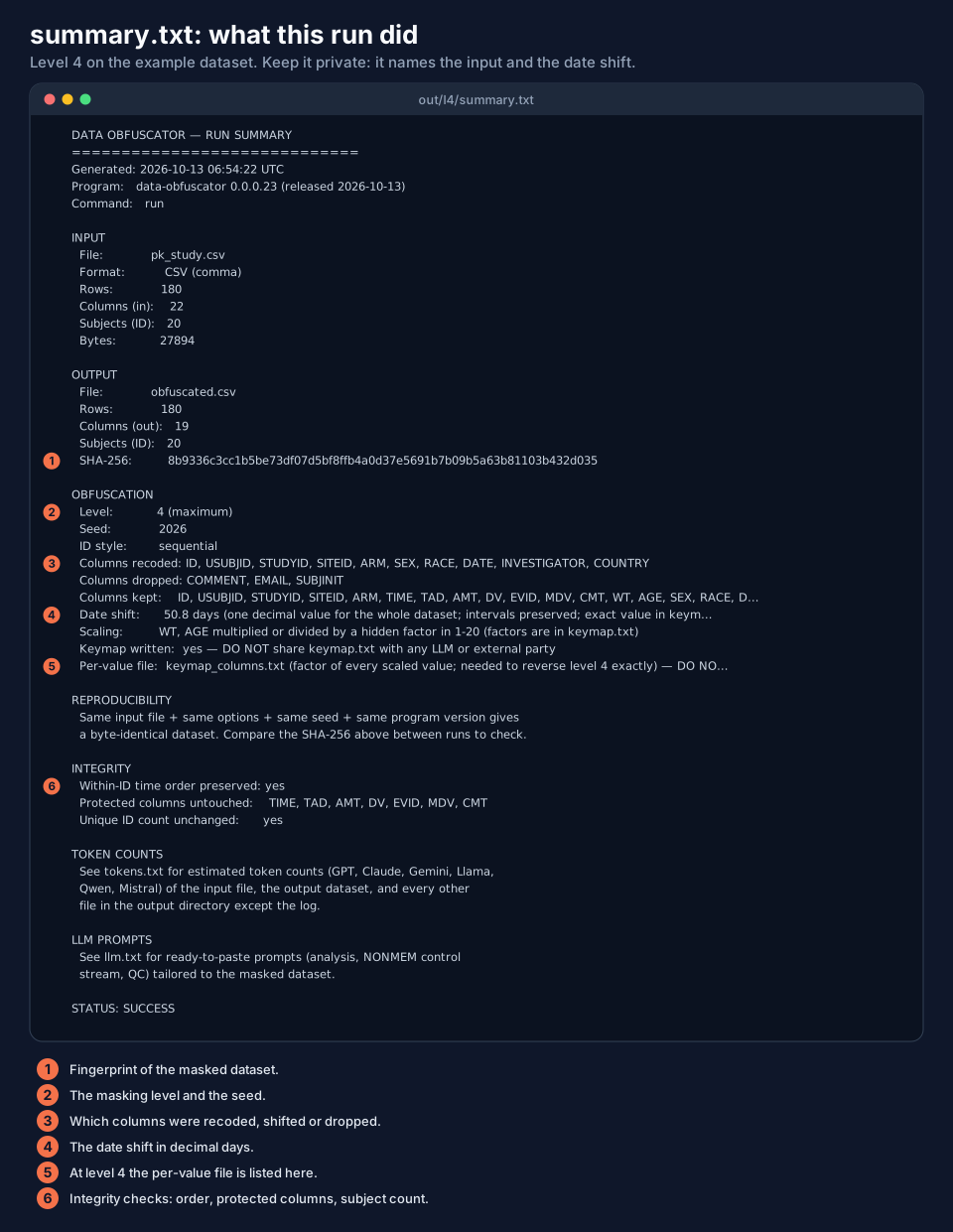
The integrity block is worth reading every time:
- Within-ID time order preserved: yes — no subject's records were re-ordered in time.
- Protected columns untouched — lists the columns it checked (
TIME, TAD, AMT, DV, EVID, MDV, CMT). - Unique ID count unchanged: yes — the recoding did not merge or split subjects.
The time-order line is always yes: the program never re-orders the records of a subject in time. The unique ID count
line compares the number of subjects before and after.
3. keymap.txt: the key
keymap.txt holds everything needed to undo the masking: the original value of every code, every scaling factor, the
date shift, and which columns could not be stored. It starts with a header that says so, in capital letters.
CONFIDENTIAL. Anyone who holds this file together with the masked dataset can undo the masking. Never send it to an LLM, a vendor, a CRO or a collaborator, and do not paste it into a chat.
The file is tab-separated text with # comments, in five sections:
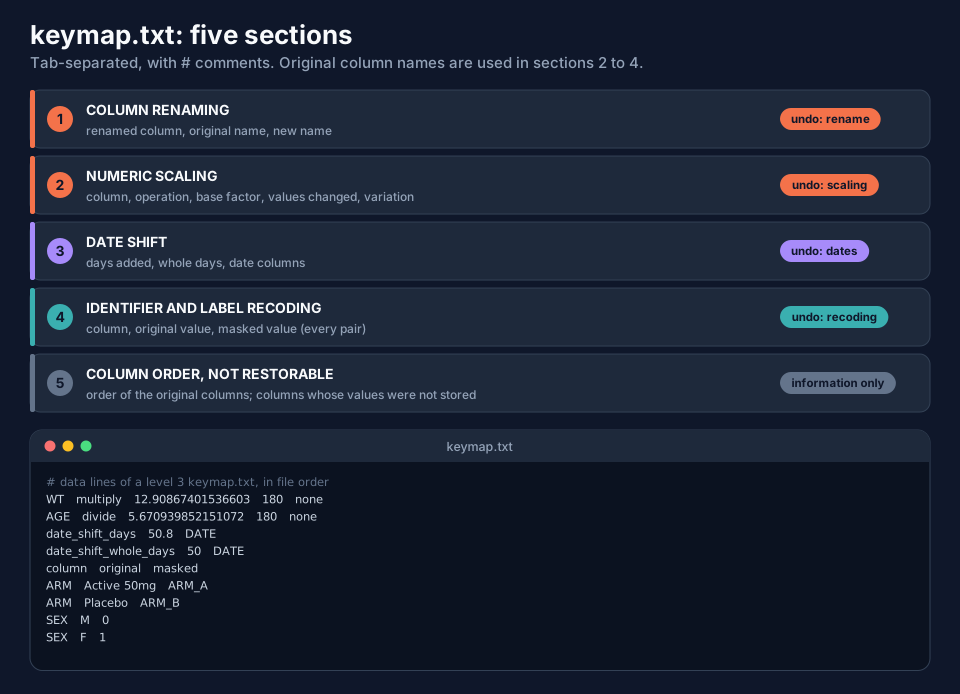
| Section | Holds | Used by the reverse step |
|---|---|---|
| 1. Column renaming | renamed_column, original name, new name |
rename |
| 2. Numeric scaling | column, operation (multiply/divide), base factor, values changed, variation (none or +/-15%) |
scaling |
| 3. Date shift | date_shift_days, date_shift_whole_days, the date columns |
dates |
| 4. Identifier and label recoding | column, original value, masked value, for every pair | recoding |
| 5. Column order, not restorable | the original column order; columns whose values were not stored | information |
Sections 2 to 4 use the original column names; section 1 tells you what a renamed column is called in the masked file. From the example at level 3:
# NUMERIC SCALING
WT      multiply   12.90867401536603   180   none
AGE     divide     5.670939852151072   180   none
# DATE SHIFT
date_shift_days         50.8   DATE
date_shift_whole_days   50     DATE
# IDENTIFIER AND LABEL RECODING
column   original      masked
ARM      Active 50mg   ARM_A
ARM      Placebo       ARM_B
SEX      M             0
SEX      F             1
You can read the whole file, for the example at level 2 and at level 4: txtexample-keymap-level2.txt and txtexample-keymap-level4.txt. (They belong to the synthetic example dataset; a key of real data is as confidential as the data.)
4. keymap_columns.txt (level 4 only)
At level 4 every scaled value has its own factor, so keymap.txt alone (which holds only the base factor) could restore
numbers only approximately. The program therefore writes a second file with the factor of every value, plus the
identifying values of every row so a row can be found again after sorting.
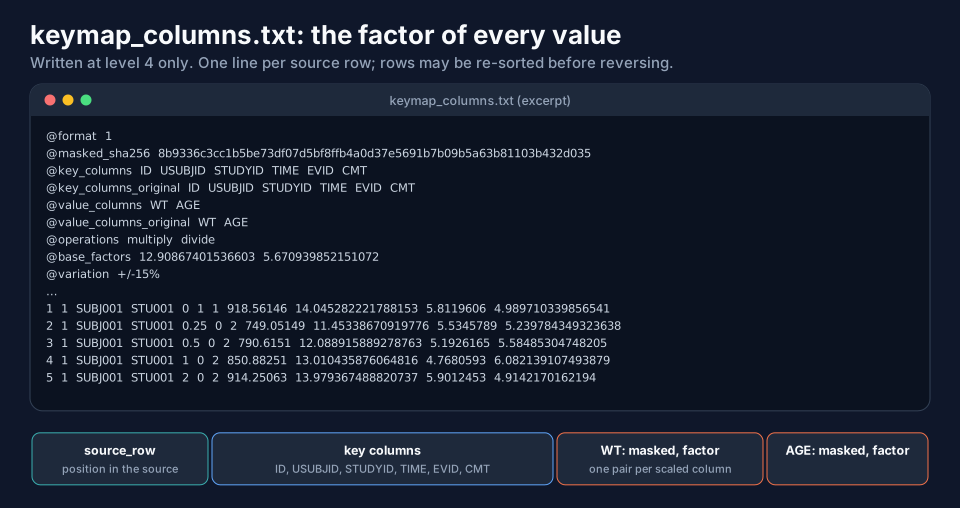
How to read a data line:
source_row  <key values: ID USUBJID STUDYID TIME EVID CMT>   WT masked, WT factor   AGE masked, AGE factor
1           1  SUBJ001  STU001  0  1  1                      918.56146  14.045...    5.8119606  4.9897...
source_rowis the position of the row in the source dataset, so the original row order can be restored even though level 4 sorts rows by the masked ID.- The key columns (
@key_columns) are the identifiers: the subject (ID, USUBJID, STUDYID), time (TIME), the event type (EVID,CMT), and, if present,DVID,STUandSTDY. A row is found by those values plus the masked numbers, so the masked file may be re-sorted and its columns re-ordered before it is reversed. - The factor is what the original value was multiplied or divided by (
@operations). A.means the cell was blank or text and not scaled.
Download the example: txtexample-keymap_columns-level4.txt.
Without this file, reverse still works at level 4 but the numbers come back only within about 15 % of the original
(page Restoring Data: reverse). Keep the two key files together.
5. Running without a key: --write-keymap false
By default the key is written. If you want a one-way mask, switch it off:
data-obfuscator run --input pk_study.csv --output ./masked --level 2 --seed 2026 --write-keymap false
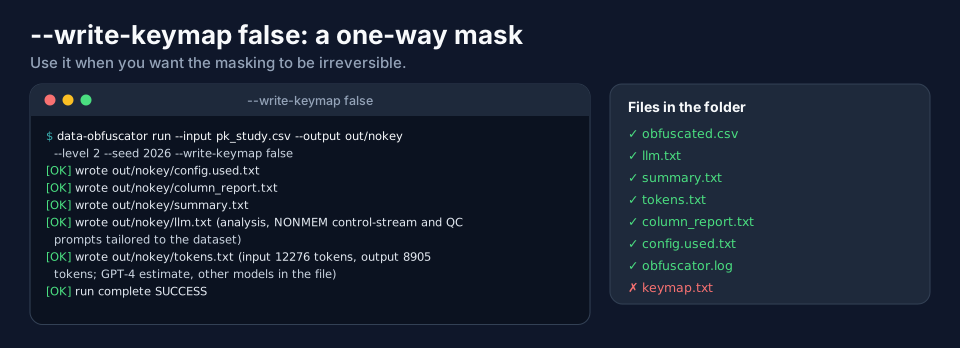
The masked dataset is exactly the same, but nothing can ever be restored: reverse needs the key. (Because the seed
and the options are in config.used.txt and summary.txt, the run can be repeated with the same input, which gives the same
masking; but that needs the original file.) Use it for data you will share permanently.
6. Where the files are written
All files go into --output. A run that is refused for a bad option or a folder that is not empty writes nothing at all;
a run that fails while working (for example a missing input file) leaves at most obfuscator.log in the folder. A later
run into a folder that already holds files is refused unless you add --overwrite (page The run Command).
Next
LLM Prompts and Tokens covers llm.txt and tokens.txt.